Founded in 2004, Avea is among the most preferred GSM operators both globally and in Turkey. One likely reason millions choose Avea is that it offers competitive pricing and convenient payment options compared with other mobile operators. Postpaid Avea subscribers can pay bills at Avea stores using their ID number or subscription number, or they can check and pay bills through three different channels: online, by phone, or via SMS. Avea places strong emphasis on customer security. In this article we explain how to view and manage Avea bills.
To get an Avea line, visit the nearest Avea store. Bring the required documents, fill out and submit the subscription agreement provided at the store, and you can become a postpaid subscriber.
Avea Bill Payment Methods
Online Payment via the Internet
Before viewing your Avea bill, let’s review payment methods. To pay your bill without interruption online, go to Avea’s official website and start the online transactions section. From there you can continue to the online payment flow to settle your bill.
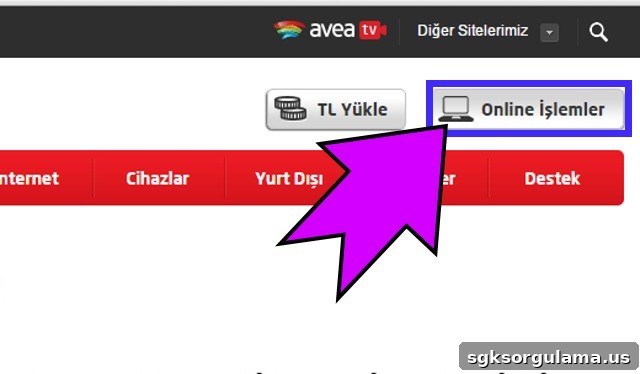
Here’s how to view your Avea bill online. After selecting online transactions, the next step is to log in using the SMS option or the mobile signature registered to your phone or line.
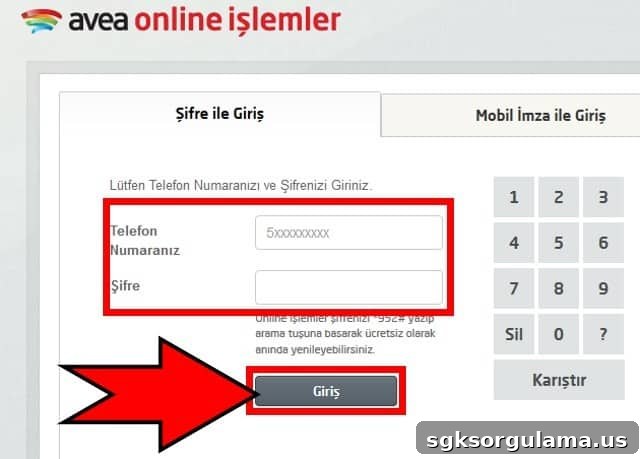
When logging in, enter your phone number as a 10-digit number without the leading zero. After entering your Avea password, press the Login button to access your personal page and manage bill payments. If you do not have a password or have forgotten it, you can obtain a new one by dialing *952# from your phone and continue securely.
After logging in, click “Fatura Bilgileri” (Bill Information) at the upper left of the page to view all invoice details, continue payment steps, and perform Avea bill viewing.
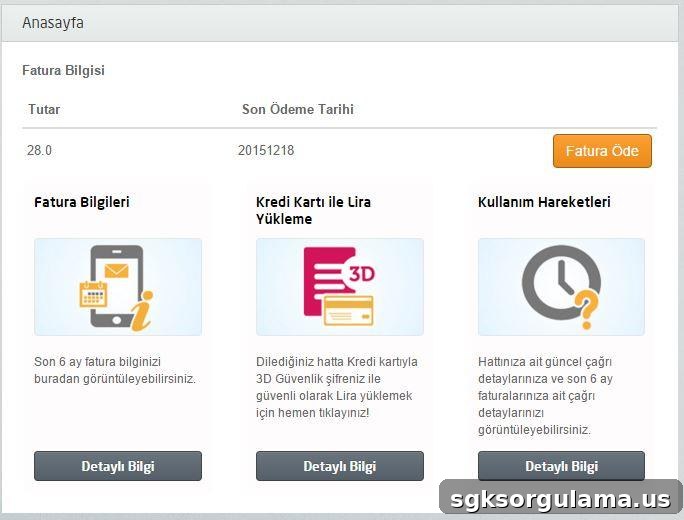
When you open “Fatura Bilgileri,” three sections appear: Bill Information, Pay by Credit Card, and Usage Activity. In Bill Information you can review invoice details and view your Avea bill. Click the Pay Invoice button to pay your balance online. If you prefer not to use internet banking, Avea offers other payment options as well.
Payment at Avea Service Centers
You can also view and pay Avea bills at Avea service centers. Visit the nearest Avea store to pay your bill in cash or by credit card. You can also set up automatic credit card payments so your bill is paid every month without manual intervention, preventing missed payments and saving time.
SMS Bill Inquiry and Avea Bill Viewing
A convenient option for bill details is SMS inquiry. To receive current bill information on your phone, send the text “GUNCEL” to 5555. This message is free. Alternatively, dial *100# from your phone to perform a bill inquiry and view details. With the second method you can also see unbilled usage (calls and SMS) from the last 6 hours. This service is available only to postpaid lines and carries a fee of 0.99 TL.
Avea Support Line
You can call Avea customer support for information about bill viewing. Customer service can answer questions about your line and provide assistance. Customer service number: 810 90 444 1.
You can also learn past monthly details through the 444 1 500 Interactive Voice Response system.
Bill payments are accepted at Avea and Türk Telekom offices and stores.
How to Check Remaining Postpaid Usage
To learn your remaining postpaid usage allowances, dial *124#. This gives you free, immediate access to your remaining usage information.
Required Documents for a Postpaid Line
For information about the documents required to obtain a postpaid line, consult Avea’s official guidance on postpaid subscription requirements provided by the operator.