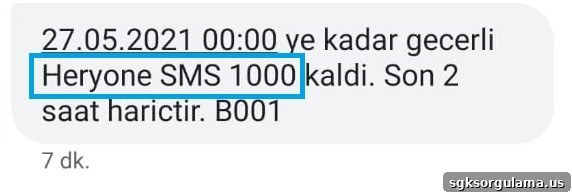
You can check remaining minutes, free internet, SMS and TL balance for Turk Telekom prepaid lines by performing a remaining package inquiry. Turk Telekom offers four different free methods to view these package details.
How to check remaining packages on a Turk Telekom prepaid line can be done both online and offline using short and simple procedures. You can easily query your remaining usage rights from your tariff by calling, using the internet, or sending an SMS via any of the four methods described below.
HOW TO CHECK REMAINING PACKAGE ON A TURK TELEKOM PREPAID LINE?
There are several ways to perform a Turk Telekom prepaid remaining package inquiry. To learn your remaining SMS, call minutes, TL balance and internet allowance, use any of the methods listed below:
- Turk Telekom Online Services
- 9333 balance inquiry service
- Turk Telekom Interactive Voice Response (Customer Service)
- USSD key menu
- Mobile Assistant
How to check Turk Telekom TL balance?
You can use any of the methods above to learn your remaining TL balance on a Turk Telekom line. Remember that after each paid call, an informational message is usually sent to your phone screen by the notification service.
If you missed that notification, you can still check your remaining TL for free using any of the methods described below.
Turk Telekom Online Services TL Balance Inquiry
You can query your remaining TL through Online Services on the web or via the mobile app. To use the app on your phone, download it from Google Play Store or the Apple App Store.
To access the web-based service, go to the Online Services portal and log in by entering your Mobile Phone Number and Online Services Password in the appropriate fields.
If you need an Online Services password, send an SMS with the word “SIFRE” to 9520. A one-time six-digit Online Services password will be sent to you.
After logging in, the homepage shows a “Usage Details” panel. Select the “TL” option on that panel to view your remaining balance.
Turk Telekom TL Balance Inquiry via 9333
You can learn your TL balance by sending an SMS to or calling 9333. The 9333 service has been moved to Turk Telekom. To check your balance, text “TL” to 9333 or call the number directly.
Turk Telekom TL Balance Inquiry via Customer Service
To learn your remaining TL through Turk Telekom’s call center, use the Interactive Voice Response system. From a Turk Telekom line dial 500, or from another operator call 444 1 500. The automated system will provide the remaining TL balance for your prepaid line.
Turk Telekom TL Balance Inquiry via USSD
To check your TL balance using USSD, simply dial *123#. After sending the request, your remaining TL will be displayed on your phone screen free of charge.
Turk Telekom TL Balance Inquiry from the Menu
You can also check TL from the phone menu using the Mobile Assistant. From the phone’s menu, open the “Service” section and follow the steps below to query your balance:
- Go to the “Assistant” option under the “Service” menu.
- Select the “Assistant” option in the opened menu.
- Choose the “Remaining” option to send the free inquiry SMS and receive your balance information.
How to check remaining minutes on Turk Telekom?
To check remaining minutes on Turk Telekom, use the balance inquiry services. The methods available to learn your remaining talk time are:
- Online Services
- Customer Service
- SMS to 5555
- *123# USSD
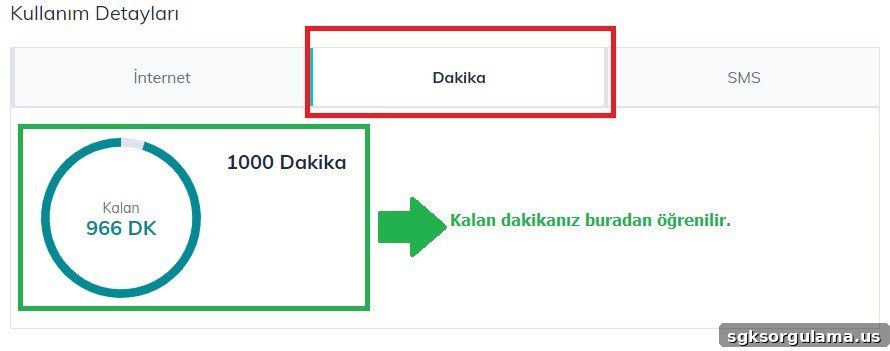
Online Services Remaining Minutes Inquiry
Log in to the web portal or mobile app. On the main page, select the “Minutes” option to see how many minutes remain in your tariff.
Customer Service Remaining Minutes Inquiry
Call 500 from your Turk Telekom line or reach the Interactive Voice Response by dialing 444 1 500 from another operator to learn your remaining talk minutes.
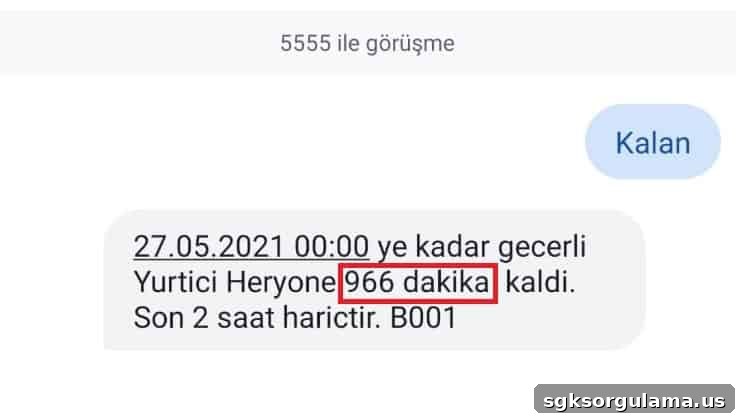
SMS Remaining Minutes Inquiry
To check minutes by SMS, send the word “KALAN” to 5555. You will receive an informational SMS showing your remaining minutes.
USSD Remaining Minutes Inquiry
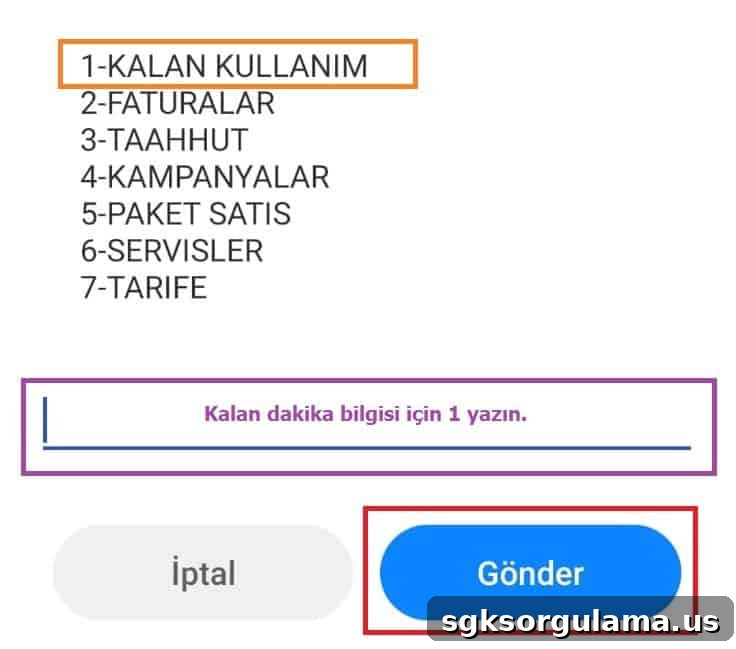
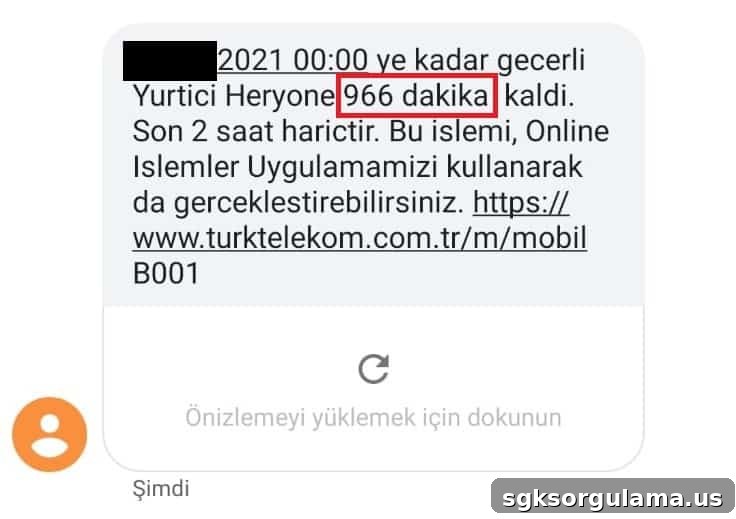
Dial *123# and follow the on-screen instructions. Typically you select option “1” and press “SEND” to complete the query. The remaining minutes will be sent to you via SMS. The returned information reflects usage up to the last two hours; calls made within the last two hours may not be included in the total shown.
How to check remaining internet on Turk Telekom?
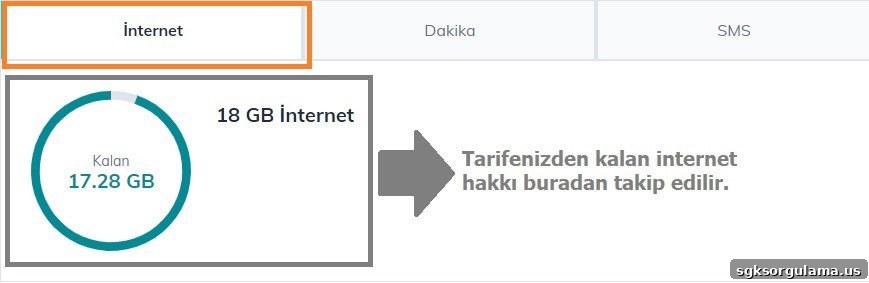
To check remaining internet allowance, use any of the services listed under “Remaining Minutes Inquiry.” If you use Online Services, after logging in choose the “Internet” option to see both the total package volume and remaining data shown in the designated area.
When you request remaining internet via SMS to 5555, you will receive details of your remaining allowances free of charge. The returned message displays the remaining data per your current package.
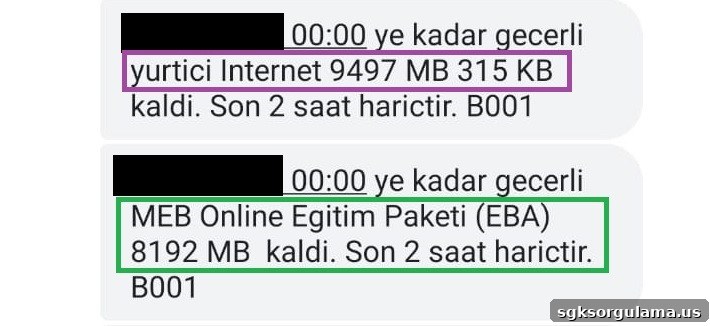
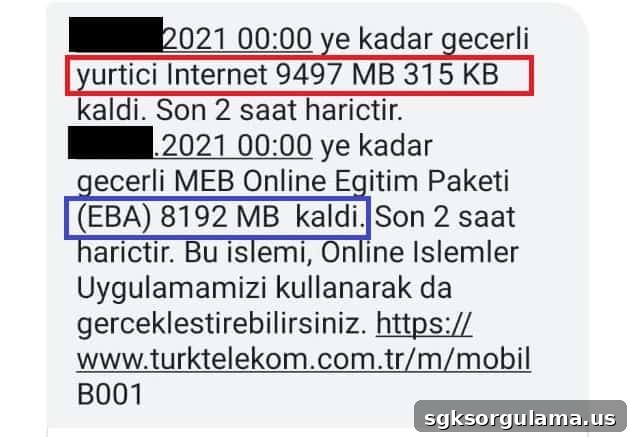
If you use *123# and follow the prompts, the SMS you receive will show your remaining GB excluding the last two hours of usage. An example of such a message is shown below.
How to check remaining SMS on Turk Telekom?
To learn remaining SMS on a Turk Telekom prepaid line, follow the same procedures used for minutes and internet. In Online Services, after logging in with your Mobile Phone Number and Password, select the “SMS” menu to view your remaining text allowance.
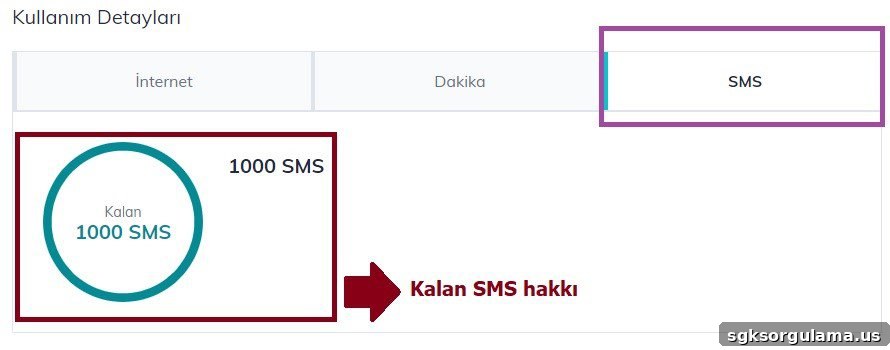
You can also check remaining SMS by dialing *123#, selecting the appropriate option (usually “1”), and sending the request. Your remaining SMS allowance will be sent to you via SMS.
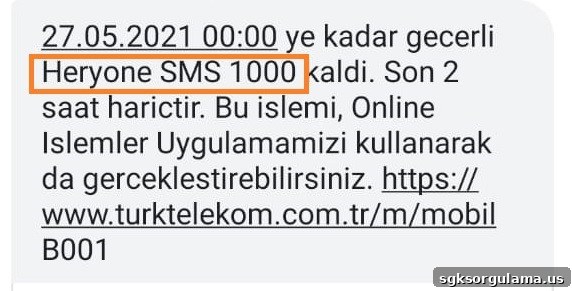
Alternatively, send “KALAN” to 5555 to receive your remaining SMS details. The “KALAN” service is free and available for all methods described for checking remaining prepaid package rights.