

Changing your family physician can be done quickly and easily online. That way you do not need to visit any office or fill out paperwork to change your family doctor. In this article we explain in detail how to change your family physician online.
Previously we shared several guides about health services:
- Öğrenciler Sağlıktan Nasıl Yararlanır, Şartları Neler?
- İşe Girdikten Ne Kadar Sonra Sağlıktan Yararlanılabilir?
In this article we focus on changing your family physician via the e‑Government portal. If you are thinking “I want to change my family doctor,” read on to learn the step‑by‑step process.
HOW CAN I CHANGE MY FAMILY PHYSICIAN?
Family physician changes can be completed using three different methods:
- Change your doctor via the e‑Government portal (e‑Devlet)
- Change your family physician using e‑Nabız
- Submit a change request by phone
You can complete the process using any of these three methods without submitting a formal written petition.
How to Change Your Family Physician via e‑Government (e‑Devlet)?
Changing your family physician through e‑Devlet is straightforward. Follow these steps:
- Open your browser and go to turkiye.gov.tr.
- Log in with your Turkish ID number and e‑Devlet password.
- Type “family physician change” into the search field on the main screen.
- Open the link titled “Family Physician Change (Ministry of Health).”
- Click the “Go to Application” button on the page.
- You will be redirected to the e‑Nabız application.
- In e‑Nabız select the family health center and the family physician you prefer, then submit your request.
Your family physician change request will be received by the ministry quickly using this method.
How to Change Your Family Physician via e‑Nabız?
You can also change your family physician via e‑Nabız. To do so, follow these steps:
- Go to enabiz.gov.tr/AileHekimiSecim.
- You will see fields for “Family Health Unit” and “Your Family Physician.”
- Select the “Reason for Change” and choose the desired “Family Health Center/Physician.”
- Click the “Change Family Physician” button at the bottom right.
This completes the family physician change.
Can I Change My Family Physician via MHRS?
Family physician changes are handled in e‑Nabız rather than MHRS. Therefore, do not spend time trying to change your physician through MHRS. Follow the e‑Nabız steps described above to complete the change quickly.
Below we provide a step‑by‑step illustrated guide for changing your family physician online or by phone. Be sure to review those sections if you prefer visual instructions.
FAMILY PHYSICIAN CHANGE (STEP‑BY‑STEP WITH IMAGES)
Follow the illustrated steps below to complete your family physician change.
STEP 1: Open the e‑Nabız application in your browser.
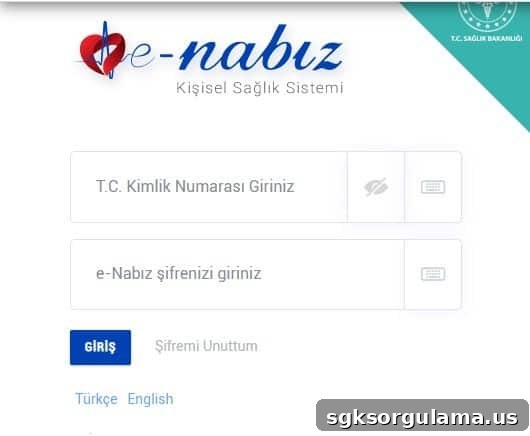
STEP 2: Log in using your e‑Nabız credentials.
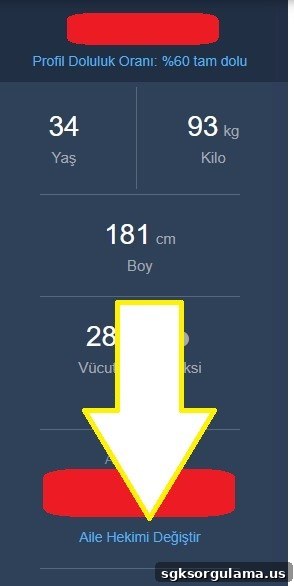
STEP 3: On the homepage, below the “Family Physician Name” field click the “Change Family Physician” button.
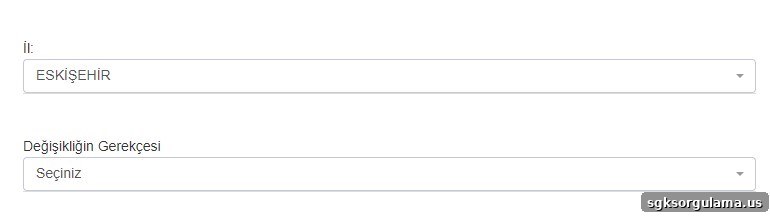
STEP 4: Select the province/district for the change and choose your reason for changing.
STEP 5: Choose the “Family Health Center” and the specific “Family Physician”.
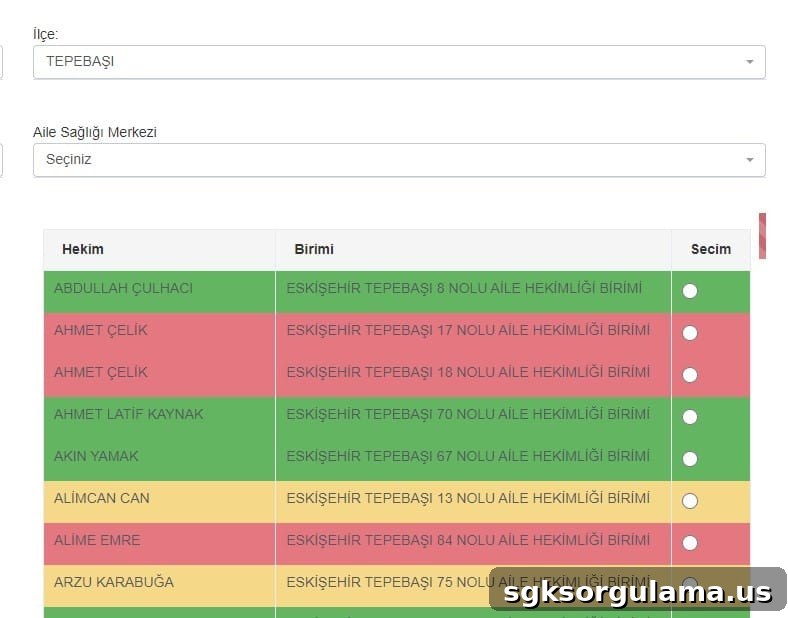
STEP 6: Finally, click the “Change Family Physician” button to confirm.

With these steps you complete the family physician change successfully.
I Forgot My e‑Nabız Password — What Should I Do?
If you forgot your e‑Nabız password, follow these steps:
STEP 1: Click the “Forgot My Password” button under the login area on the left.

STEP 2: Enter your Turkish ID number and phone number.

STEP 3: Click the “Send SMS” button to receive a verification message.

This process allows you to reset your e‑Nabız password.
IMPORTANT: You do not necessarily need an e‑Nabız password to log in. You can also sign in using e‑Devlet or an electronic signature by selecting one of those login options.

WHAT IS THE PHONE NUMBER FOR CHANGING A FAMILY PHYSICIAN?
You can also request a family physician change by phone. Call the ALO 182 MHRS line to submit a family physician change request.
E‑NABIZ MOBILE APPLICATIONS
The e‑Nabız mobile app is available for download on mobile devices from the respective app stores.
- App Store
- Google Play
- AppGallery
E‑NABIZ SOCIAL MEDIA ACCOUNTS
- Facebook: facebook.com/enabizsistemi
- Twitter: twitter.com/enabizsistemi
- Instagram: instagram.com/enabizsistemi
Before we finish, here are a couple of other guides we prepared that may be useful. You can find detailed information in these articles:
- Engelli Sağlık Raporu Sorgulama
- How to Obtain a Health Report from Your Family Physician (Health Center)
We have provided all the essential details about changing your family physician. As an SGK news source, we will continue to share up‑to‑date information. You can post questions, comments, or suggestions in the section below. Stay tuned!