
To find your home internet subscriber number, log in to the provider’s online services or contact their customer support. The subscriber number is essential for many internet-related processes and troubleshooting.
A subscriber number identifies who is using the internet service and functions like a phone number for your connection. You will often need it when performing online account operations or when calling the service center. Many transactions and support requests require this number.
What Is a Home Internet Subscriber Number?
A home internet subscriber number is a unique identifier assigned to the internet service at a specific address. It contains information about the service, such as the city and installation address. Subscribers need this number when reporting faults, checking account details, or making changes to the service.
Because it is used frequently for account and technical matters, keep your subscriber number written down in a safe place. Home internet services differ from mobile internet or phone services. Even if both services come from the same company, the phone number alone is usually not sufficient for home internet transactions; the subscriber number is also required.
Where Can I Find My Internet Subscriber Number?
You can view your internet subscriber number through the provider’s online services or mobile app. Every provider has a website or app where you can log in and check account details, including the subscriber number.
Subscriber numbers are also printed on invoices. Reviewing your bill is a quick way to find the number, whether you have a paper invoice or an electronic one. In many cases, you can also request the number via SMS from the provider.
What Is the Turk Telekom Internet Service Number?
The Turk Telekom internet service number is the subscriber number for Turk Telekom home internet accounts. It is used to manage and track service-related transactions. Turk Telekom is one of the largest providers using extensive infrastructure across the country, and many other providers rely on its network.
The Turk Telekom internet service number is a ten-digit identifier. You can access it through the online services portal, the mobile app, your invoice, or by calling customer support. When reporting a line fault, you will be asked to provide this number.
To find your home internet subscriber number via Turk Telekom, install the Turk Telekom mobile app and log in. The app also allows bill payments, package changes, and other account operations.
Where Is the Turk Telekom Home Internet Subscriber Number Shown?
Your Turk Telekom home internet subscriber number appears on your invoice. You can also receive it in monthly SMS notifications from Turk Telekom. To view it online, visit the Turk Telekom online services page and choose the “Evde internet/ev telefonu/Tivibu” section.
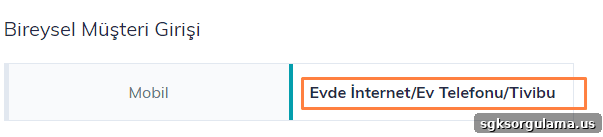
First, enter your Turkish Republic ID number. Foreign nationals can use their foreign ID number. You will also need to enter your mobile phone number and then select “Send Password.” Enter the code sent to your phone to complete login.

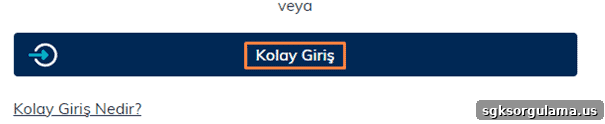
Turk Telekom also offers a “Quick Login” option: if you have the Turk Telekom app installed, approving the notification on your phone logs you in immediately and gives access to the Online Transactions menu.
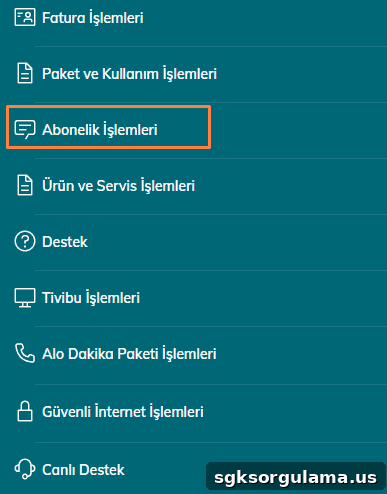
- From the main screen, select “Online Transactions.”
- Choose “Subscription Transactions” from the available options.
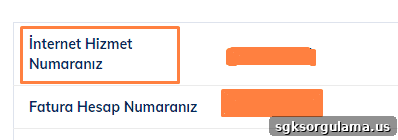
Under Subscription Transactions, select “Subscription Information.” The “Internet Service Number” field on that screen displays your subscriber number.
How to Find D-Smart Internet Subscriber Number
To learn your D-Smart internet subscriber number, call 0850 266 0266 or check your D-Smart invoice. You can also log in to D-Smart’s online services at the online transactions portal using your ID or phone number and password to view account details.
How to Find Vodafone Home Internet Subscriber Number
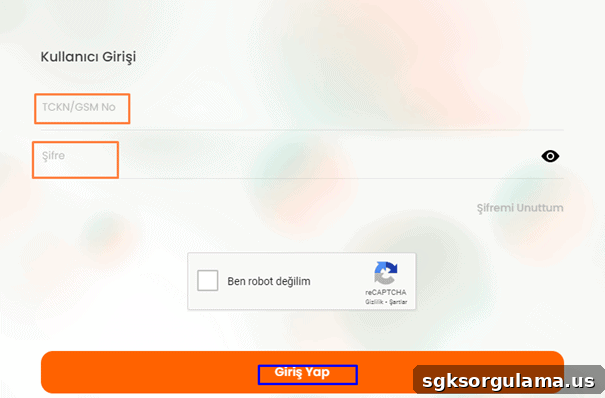
To find your Vodafone home internet subscriber number, visit vodafone.com.tr and click the user icon to log in. Enter your phone number and password. If you forget your password, you can request a new one by following the instructions on the login page or by texting the indicated code to 7000.
How Can I Learn My TurkNet Subscriber Number?
You can find your TurkNet subscriber number on your invoice; it typically appears in the top-right corner. The subscriber number usually corresponds to your ten-digit phone number without a leading zero. You can also log in to turk.net’s online services to view account details.
Select “Online Transactions,” then log in with your ID number and password to access subscription information.
How to Find Kablonet Subscriber Number
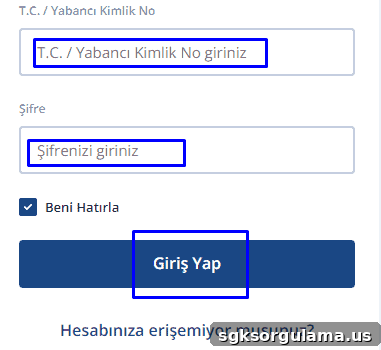
Kablonet subscribers can retrieve their subscriber number via the company website by using the invoice inquiry section with their Turkish ID number or by logging in through the user login area. Kablonet also offers alternate login options such as e-Devlet, phone, email, or customer number.
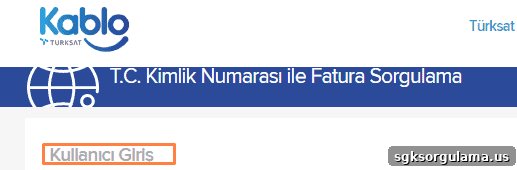
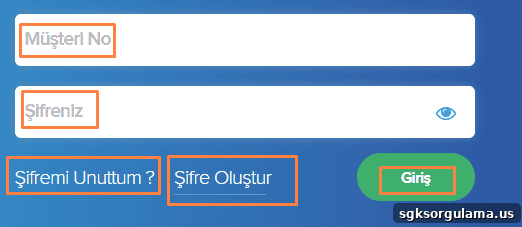
Enter your customer number and password on the login screen, or use the “Create Password” and “Forgot My Password” options to set a new password before accessing your account and viewing the subscriber number.
How Many Digits Is the Internet Subscriber Number?
The internet subscriber number is generally 10 digits long, though the length can vary by provider. This number is used for many actions such as invoice queries, payments, and fault reporting. It is displayed on invoices, available in online account portals, and can be provided by customer service when needed.
The most convenient way to learn your home internet subscriber number is often the provider’s mobile app. Download the app from the provider, sign in, and you will usually find the subscriber number in the account or subscription information sections.