Inquiry and retrieval of SGK and BAĞKUR service statements are explained in detail in this article. To query and obtain your service statement online takes only a few minutes. This official document, which shows your past insured work periods and premiums, can be used in many procedures.
In this article we will walk you through how to obtain SGK and BAĞKUR service statements step by step with clear instructions. You can quickly get your SGK and BAĞKUR service statements online. Details below…
How to Check Your SGK Service Statement
You can check your SGK service statement via the E-Devlet (e-Government) portal. Follow these steps to query your service statement:
- Log in to the E-Devlet system.
- In the search field on the main page, type “4A Service Statement”.
- From the results, select “Social Security Institution / Service Statement”.
- Click the “Create Document” button on that page.
- Your social security premium history will be displayed. You can download or save this document.
How to Obtain the SGK Service Statement
There are two options for obtaining the SGK service statement:
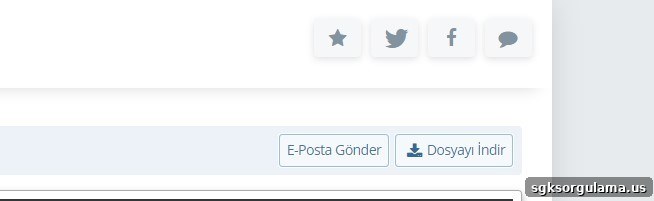
- Email: Click the “Send to Email” button located at the top right of the statement to send the service statement to any email address you choose.
- Download the file: Click the “Download File” button in the same area to save the service statement to your device.
How to Check Your BAĞKUR Service Statement
Follow these steps to query your BAĞKUR service statement:
- Log in to the E-Devlet portal.
- In the search field on the main page, type “4B service statement”.
- From the results, select “SGK Registration and Service Statement / Employer Title List”.
- Click the “4B Registration Information” section.
- You will be able to view your 4B service statement.
NOTE: You can find current minimum and maximum BAĞKUR premium amounts on official resources.
How to Obtain the BAĞKUR Service Statement
You have two options to obtain a BAĞKUR service statement:
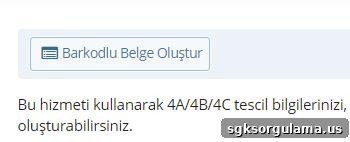
- Barcode Document: Click “Create Barcode Document” to generate and download the document to your device.
- Print directly: If you prefer a hard copy, click the “Print” option to print the document directly.

If you are wondering about the conditions for switching from BAĞKUR to SSK and retiring, consult the relevant official guidance and resources for full details.
How to Get a Barcode-Registered SGK Service Statement
To obtain a barcode-registered and certified service statement through E-Devlet, log in with your Turkish ID number and password. After logging in, follow the prompts to create a barcode-verified document.