

With advances in technology, many services have shifted online and institutions have started offering digital transactions. By enabling procedures to be completed online, people save time and can handle tasks with a single click instead of visiting offices in person. One of the everyday aspects most affected by this change is traffic-related services. Transactions related to transportation and traffic are managed by the General Directorate of Security, and moving many services online reduces in-person congestion and helps Traffic Branch Directorates operate more efficiently. This approach allows individuals to complete minor procedures remotely while institutions deliver services more effectively.
One of the online services available is the traffic registration appointment. Through this system you can book appointments online. After successfully completing the licensing steps and exams required to be licensed to drive, you must complete certain formalities at the General Directorate of Security. Instead of going to an office and waiting in line, you can use the e-appointment system to schedule a traffic registration appointment within seconds and secure the time you need to finalize your transaction. Below, you will find detailed information on how and where to complete the traffic registration appointment process.
How to Make a Traffic Registration Appointment
Scheduling a traffic registration appointment without visiting the Traffic Branch Directorate is now straightforward. By booking in advance you determine when to visit and avoid waiting in line. You can arrange driver’s license and related services quickly in a few steps, then attend the appointment at the scheduled time without long waits at the Traffic Branch.
To make an appointment, click the link provided at the end of this article. On the page that opens, follow the fields shown in the image: enter your driver’s license details, personal information, appointment preferences, and e-mail address as requested. Carefully fill in each step to complete your booking. Finally, confirm the appointment on the approval screen to finish the process.
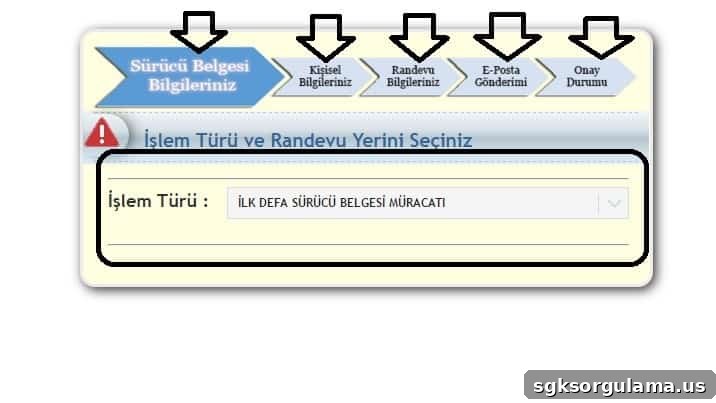
By following these steps accurately, your traffic registration appointment will be successfully completed.