There are rules that vehicles must follow to ensure smooth traffic flow and prevent disruptions. These rules are designed to protect the safety of vehicle owners and everyone on the road. If the rules are violated and detected, penalties are applied. While violations used to be handled only by police officers, the rising number of vehicles has brought technology into enforcement. Traffic violations can now be recorded by fixed cameras (mobese) or speed/radar devices without the driver noticing. Fines issued while a vehicle is in motion are tied to the license plate, so the vehicle owner may be unaware of a penalty. Unpaid fines can grow with late fees and interest. To avoid such situations, you can use a license-plate fine inquiry (plate penalty check) to stay informed.
License-plate fine inquiries can be completed online from anywhere with internet access. By checking, you can learn about all penalties associated with a plate and promptly pay any unpaid fines you might not have noticed. There are two official systems available for this inquiry. One is the system provided by the General Directorate of Security (Emniyet Genel Müdürlüğü, EGM) via its official website, and the other is the Internet Tax Office system operated by the Revenue Administration (Gelir İdaresi Başkanlığı, GİB) for tax-related matters. Neither system requires a password for basic plate inquiries. Below, you will find detailed instructions on how to perform plate penalty checks using both systems.
How to Check Plate Penalties via EGM
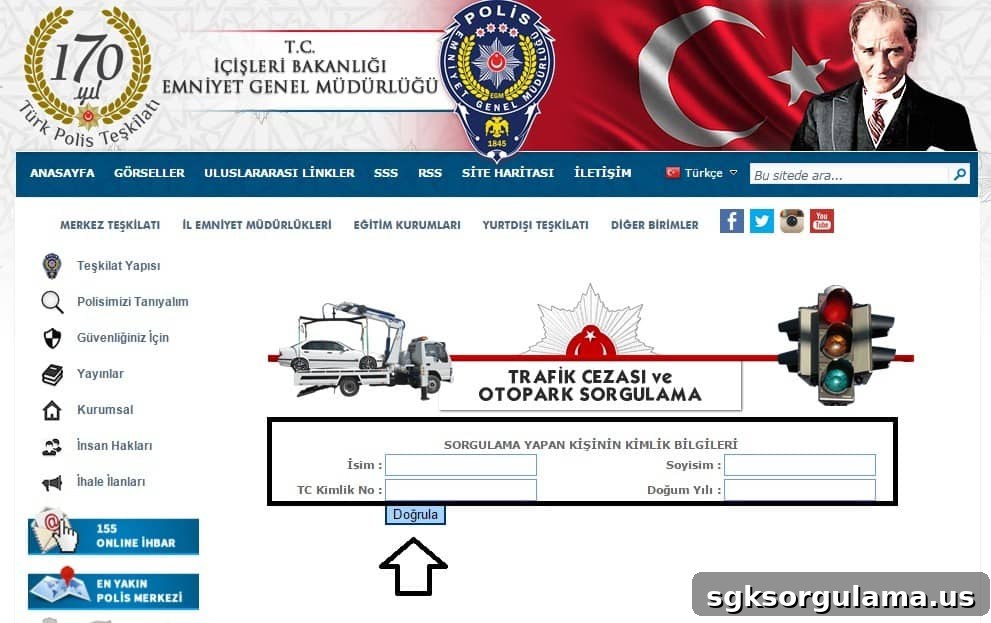
The EGM (General Directorate of Security) website allows you to view penalties associated with a given license plate. To start, click the link provided at the end of this article. On the EGM inquiry page you will be asked to enter some basic information: the name and surname of the person performing the query, Turkish ID number (T.C. kimlik numarası), and year of birth.
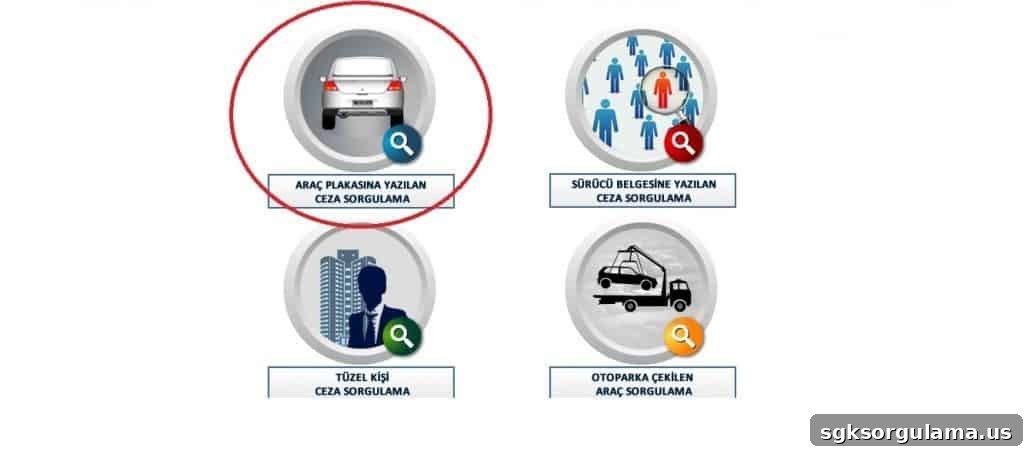
Further down the page you will see four different query type options. Select the option that indicates a plate-based inquiry, as shown in the image.
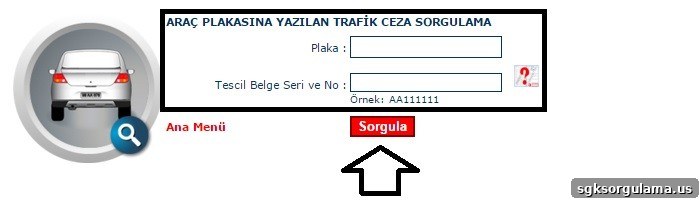
On the next screen, you will be asked to enter the vehicle’s license plate and the registration certificate number (tescil belgesi numarası). If you are unsure where to find the registration certificate number, click the red indicator shown on the page. After you have entered the information correctly, click the “Sorgula” (Query) button to view results.
For EGM plate fine inquiry, click the official EGM traffic queries page listed at the end of this article.
How to Check Plate Penalties via GİB (Internet Tax Office)
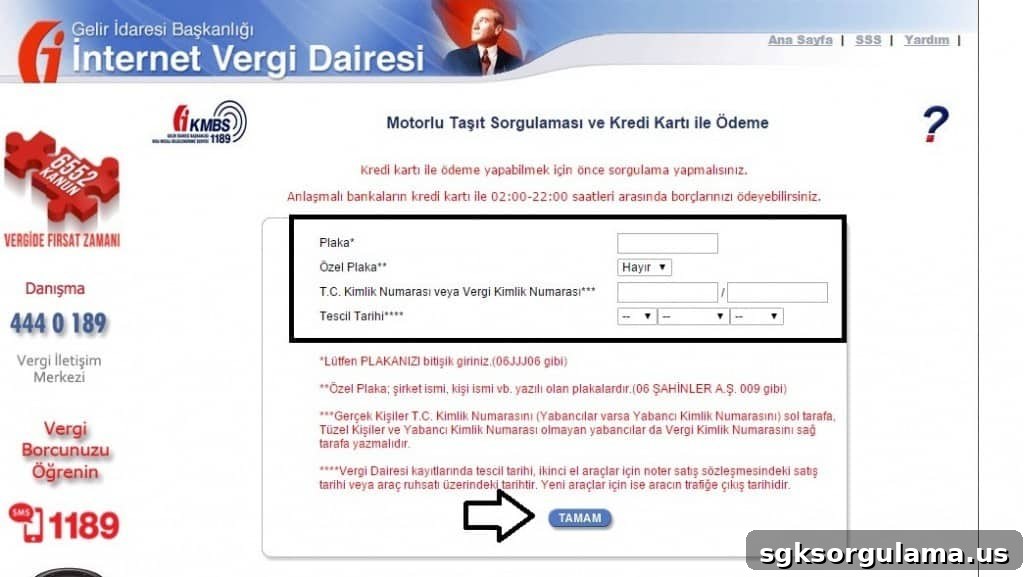
The Revenue Administration’s Internet Tax Office (İnternet Vergi Dairesi) also provides a plate penalty inquiry service. Begin by clicking the link provided at the end of this article. On the GİB page you will be asked to enter some details: first, the vehicle license plate and whether the plate is a special/custom plate by selecting “Yes” or “No.” Next, enter your Turkish ID number (T.C. kimlik numarası) or tax identification number (vergi kimlik numarası) in the indicated fields. Finally, provide the vehicle’s registration date. Read the information text on the page carefully to ensure you enter the correct data. Once all fields are completed, click the “Tamam” (Confirm) button to proceed.