
You can check a Ziraat Bank account’s IBAN through several services provided by the bank. When sending money from other banks to an account at Ziraat Bank, you will need the IBAN number for transfers.
For transfers using methods like EFT and FAST, you can obtain the 26-digit IBAN by using the available Ziraat Bank IBAN lookup methods.
How to Find Your Ziraat Bank IBAN Number
There are five main ways to look up the IBAN for a Ziraat Bank account.
You can use the following banking channels to query a Ziraat Bank IBAN:
- Ziraat Bank account card
- Ziraat Mobile app
- Ziraat SMS banking
- Ziraat telephone banking
- Ziraat Bank website
Where Is the IBAN Printed on a Ziraat Bank Account Card?
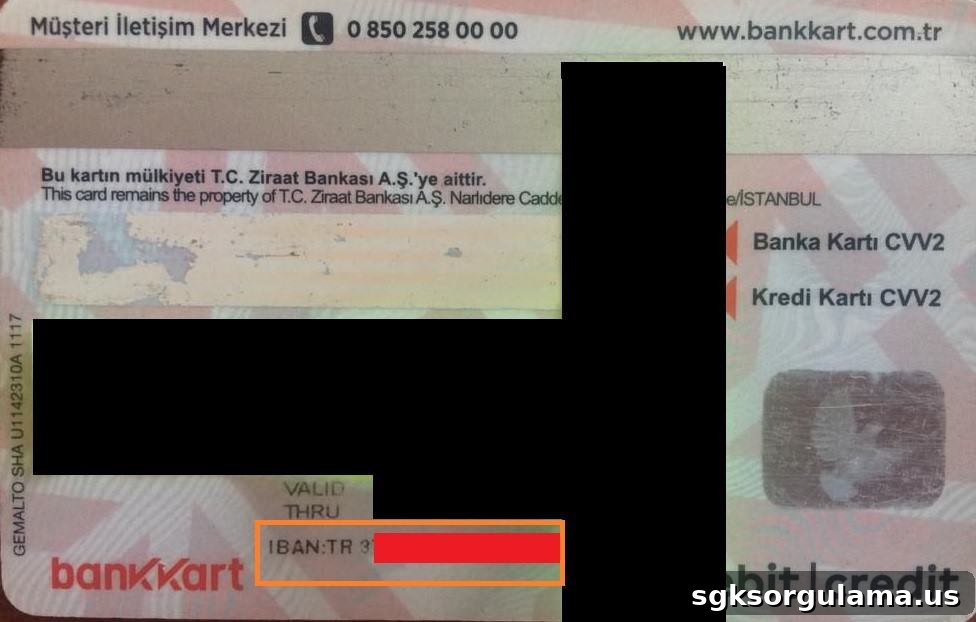
On Ziraat Bank account cards, the IBAN is printed on the back of the card. For cards issued under the “Bankkart Combo” brand, turn the card over and check the area indicated on the back to find your IBAN.
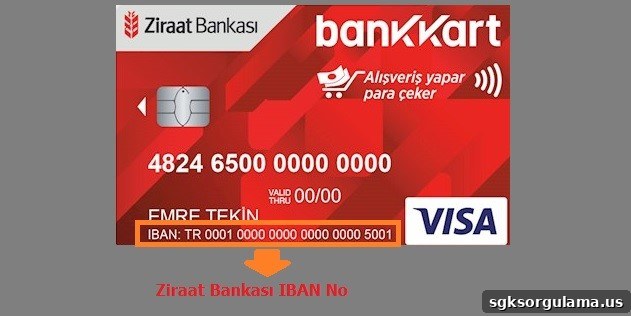
On some debit cards the IBAN may appear on the front. If your Ziraat Bank debit card displays IBAN on the front, you can read the IBAN directly from the card face as shown in the example image.
How to Find IBAN Using Ziraat Mobile
To query your IBAN via Ziraat Mobile, first install the “Ziraat Mobile” app on your phone. Open your device’s app store and download the Ziraat Mobile application appropriate for your operating system.
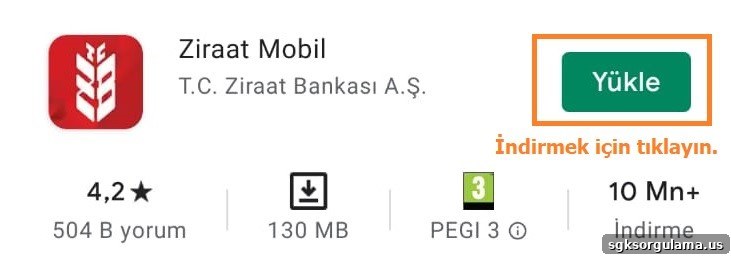
iPhone users can download the “Ziraat Mobile” app from the App Store.
After installing the app from your store and opening it, enter your Ziraat Mobile password and tap CONTINUE to log in.

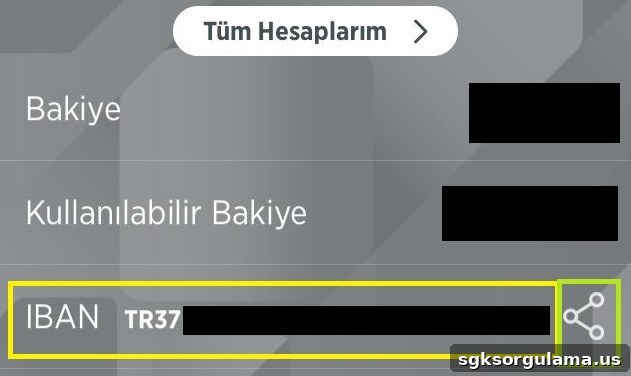
Once logged in, the main screen displays your IBAN and account details. The IBAN appears in the area highlighted in the app; you can share it using the sharing icon provided.
To view the IBAN for another Ziraat account, tap the “All Accounts” menu and select the account whose IBAN you want to see.
How to Get Ziraat Bank IBAN via SMS
IBAN lookup by SMS is available through Ziraat Bank’s SMS banking service at 4747. To use the service, send an SMS to 4747 with the text “IBANBILGI” followed by a space and the last 6 digits of your card. This SMS service carries a charge corresponding to one SMS.
How to Get IBAN via Telephone Banking
To learn your IBAN by phone, call Ziraat Bank customer service. You can reach the bank at 444 00 00 or 0850 220 00 00. Call the 24/7 call center from the phone number registered with the bank to obtain your IBAN.
How to Find IBAN on the Ziraat Bank Website
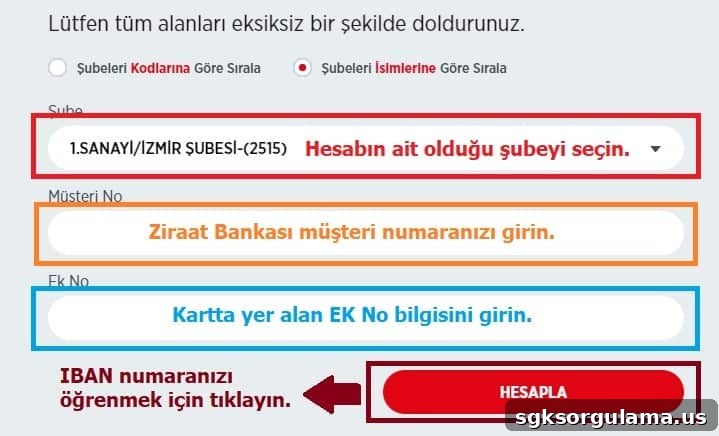
IBAN lookup on the Ziraat Bank website is available via the “Calculation Tools” section. The “IBAN Calculation” module on the bank’s site allows you to calculate or retrieve an IBAN. Use the IBAN Calculation tool on Ziraat Bank’s official site to obtain the relevant IBAN details.
On the calculation page, enter the branch code, customer number and additional number, then press the CALCULATE button to retrieve the IBAN linked to the card.
How to Find a Ziraat Bank Account Number
There are six ways to retrieve a Ziraat Bank account number. If you need the account number to deposit funds, you can use the methods listed below to obtain it:
- Derive account number from IBAN
- Ziraat debit card
- Ziraat Mobile
- Ziraat SMS banking
- Ziraat Bank call center
How to Find the Account Number from an IBAN
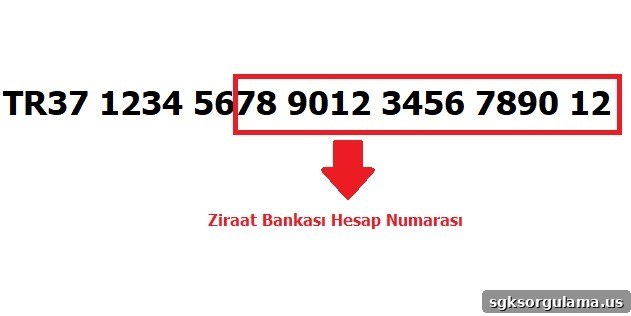
To find the Ziraat account number from an IBAN, look at the last 16 digits of the IBAN. The final 16 digits represent the bank account number. Using any of the IBAN lookup methods described above, obtain the IBAN and then read its last 16 digits to get the account number.
How to Find Account Number on a Ziraat Debit Card
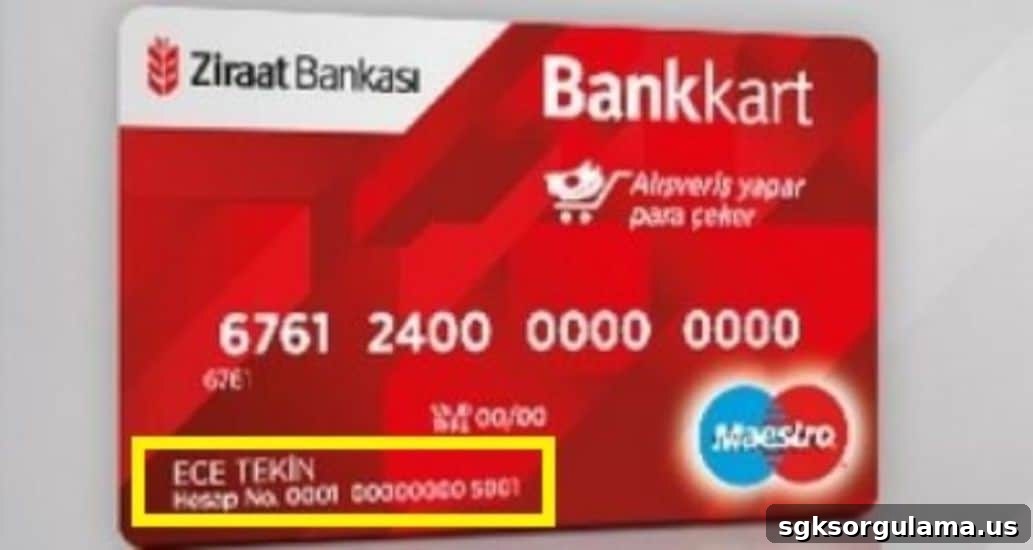
On Ziraat bank cards with “Bankkar” features, the front of the card shows “Account No” and the 16-digit number next to it is the account number. If your card includes the IBAN, you can also derive the account number by taking the IBAN’s last 16 digits.
If IBAN appears on your card, check the last 16 digits of the IBAN to find your account number. An example of the account number location on the card is shown below.
How to Find Account Number in Ziraat Mobile
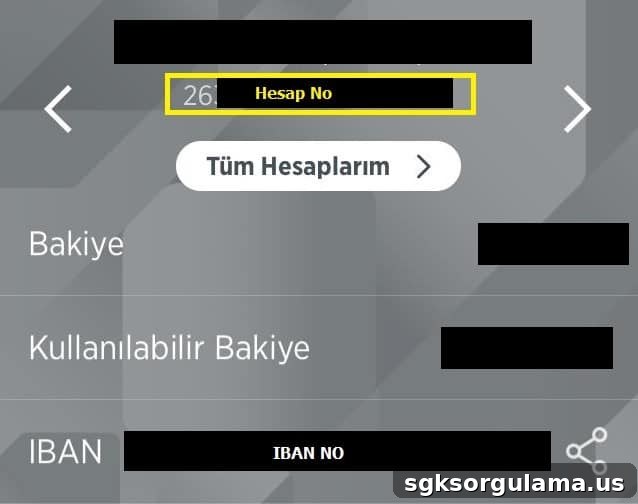
Finding the account number in Ziraat Mobile works similarly to IBAN lookup. Log into Ziraat Mobile and view the account number on the main screen. To use Ziraat Mobile you must have internet banking activated. Visit a nearby Ziraat branch to obtain your internet banking password if needed, then use Ziraat Mobile to view your account number.
How to Get Account Number by SMS
To query your Ziraat account number by SMS, use the 4747 SMS line. Send an SMS to 4747 with the text “HESAPBILGI” followed by a space and the last 6 digits of your card. The service is charged at one SMS rate and the fee is applied by your mobile operator; it will not consume any free SMS allowance and will be billed or deducted from your prepaid balance.
How to Get Account Number from Ziraat Customer Service
To learn your account number via the call center, call from the phone number you have registered with Ziraat Bank. You can reach customer service at the following numbers to obtain your account or IBAN information:
- 444 00 00
- 0850 220 00 00
Can You Get the Account Number from Ziraat’s Website?
The Ziraat website does not provide a direct account number lookup. The site includes an IBAN calculation module but no direct tool to retrieve account numbers. If you prefer to use the website, first obtain your IBAN via the available tools, then read the IBAN’s last 16 digits to determine the account number.
As explained in the IBAN lookup section, once you have the IBAN you can obtain the account number by taking the final 16 digits of that IBAN.
Can You Query Ziraat IBAN Using Your National ID?
You cannot retrieve a Ziraat Bank IBAN using only your national ID number. To access IBAN information you will need credentials such as your Ziraat Bank password, customer number and branch code. Follow the IBAN lookup methods described above to perform the fastest possible query with the information you have.