
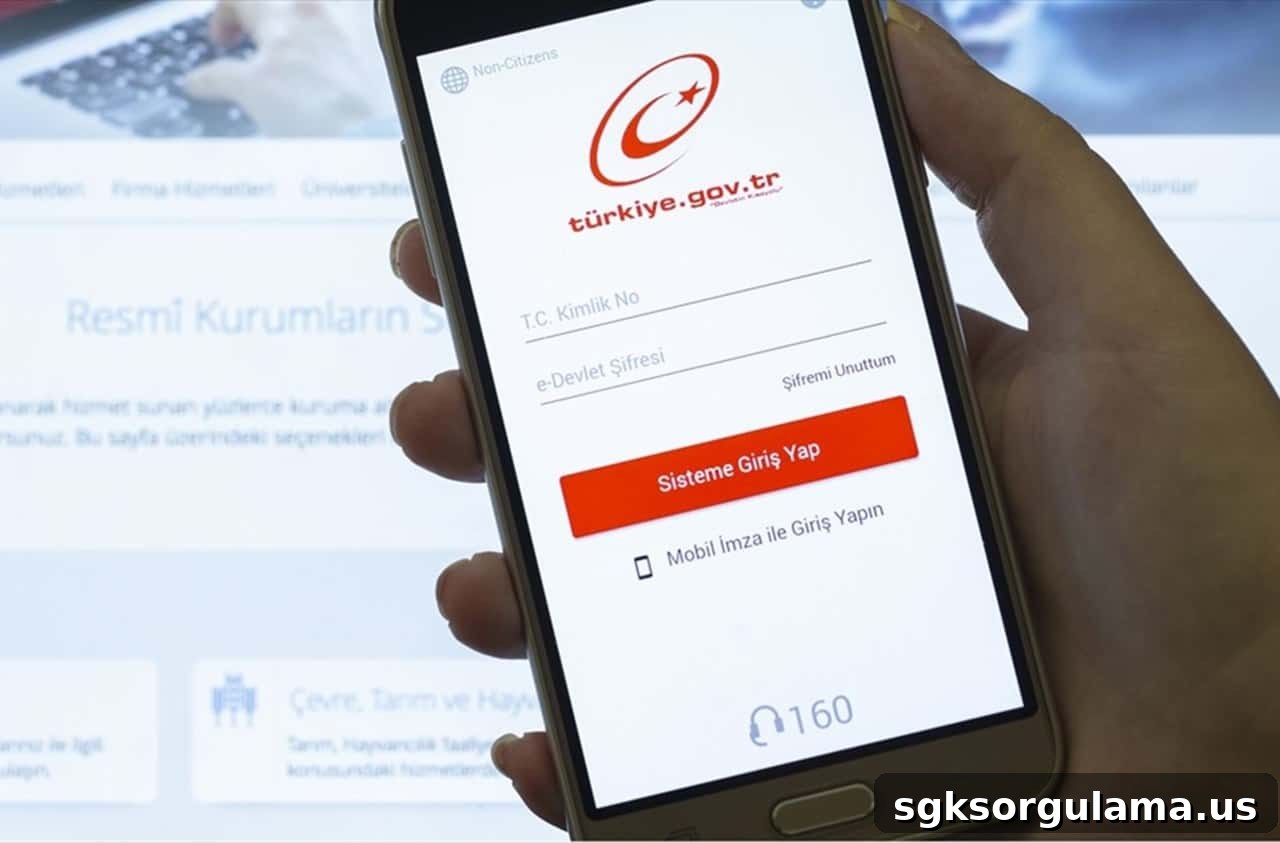
The e-Government (e-Devlet) work permit application became necessary during the 17-day full lockdown. Under the new curfew rules, everyone deemed exempt must obtain official documentation proving their exemption.
During the full lockdown implemented for Covid-19 measures, the Ministry of Interior identified which businesses and sectors are exempt and which are not. Businesses and employees considered exempt are required to complete the e-Government work permit process and obtain their exemption certificate.
HOW TO OBTAIN A WORK PERMIT FROM E-GOVERNMENT?
Work permit documents issued through e-Government are available via the Social Security Institution (SGK) and the Ministry of Interior service pages. To get a Covid-19 work permit, download the e-Devlet application to your mobile phone or access https://www.turkiye.gov.tr/ from a desktop browser and continue the procedure there.
How to Get a Work Permit Using the E-Devlet Mobile App
To obtain a work permit via mobile, first install the “e-Devlet” app on your phone. Download the official “e-Devlet Kapısı” app from your device’s app store and open it. After installing and launching the app, you must complete identity authentication to proceed.
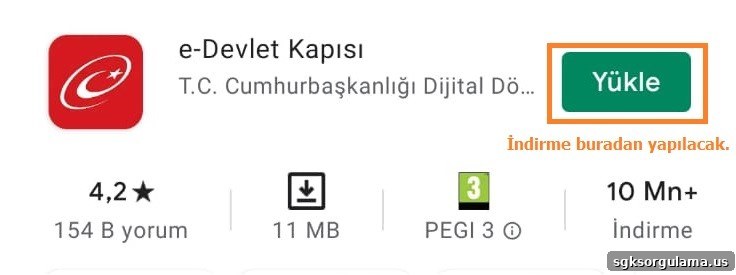
Once the app is installed and opened, authenticate using your identity credentials to continue the process.
Download e-Devlet Kapısı for Android
Download e-Devlet Kapısı for iOS
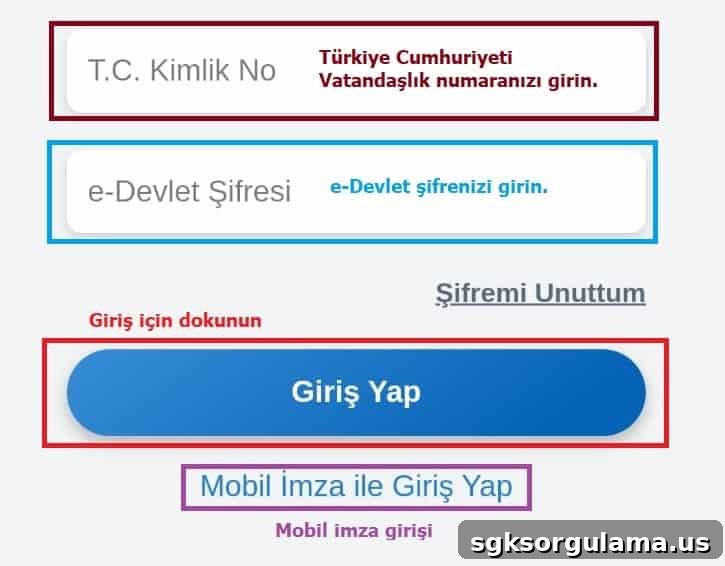
After launching the official app, enter your T.C. Identity Number and e-Devlet password in the appropriate fields and tap “Log In.” To sign in with mobile signature, choose the “Log in with Mobile Signature” option below the login button.
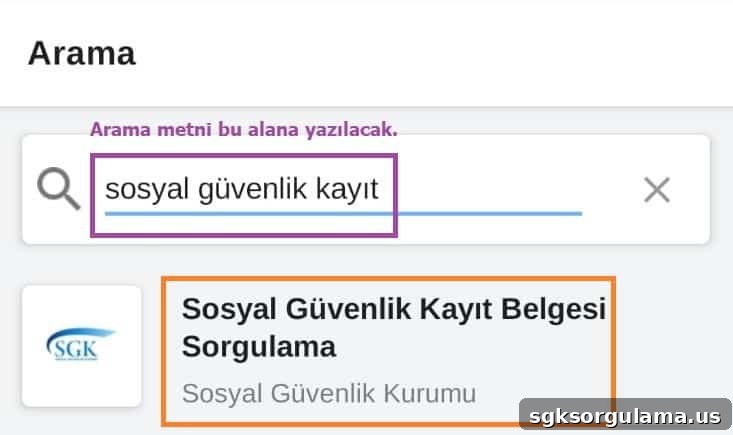
After logging in, open the search function at the bottom corner of the main screen to continue. To obtain a curfew exemption permit, type “Sosyal Güvenlik Kayıt Belgesi Sorgulama” into the search box and select the corresponding service to begin the query.
After entering the area highlighted with the orange frame, the query completes. You can view the generated work permit by tapping the icon shown in the red frame.
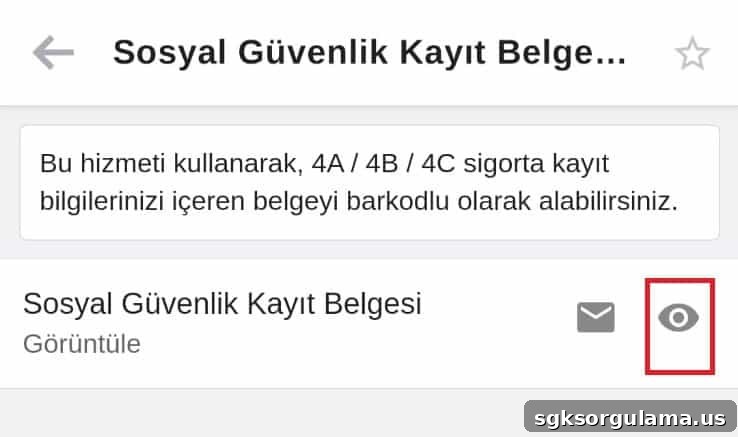
After viewing the result, you will access a document that displays your SGK registration. If your occupation falls within the exemption categories defined by the Ministry of Interior, this document allows you to go out during the full lockdown period.
You must present this document together with your identity card. During the 17-day full lockdown, carry both the permit and your ID every time you leave.
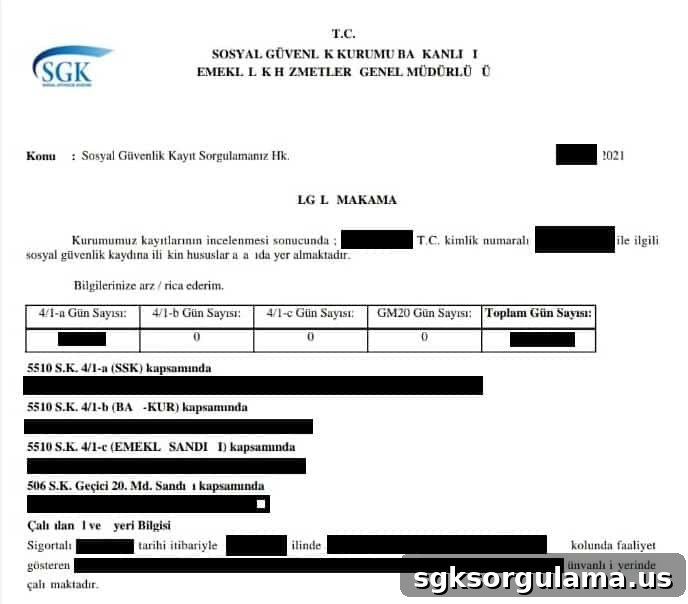
How to Obtain a Work Permit via the E-Devlet Website
To get a work permit from the e-Government website, go directly to the social security record query page at https://www.turkiye.gov.tr/sosyal-guvenlik-kayit-belgesi-sorgulama. Click “Verify My Identity” to complete e-Devlet login and proceed to the permit page.
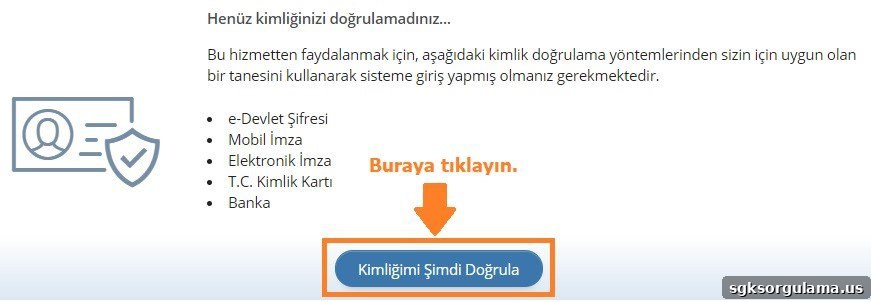
Complete identity verification via e-Devlet password, mobile signature, e-signature, T.C. identity card, or internet banking login—any of these methods will direct you to the Covid-19 work permit page.
As an example, using the e-Devlet password, enter your T.C. Identity Number and e-Devlet password, then click “Log In” to access the query page.
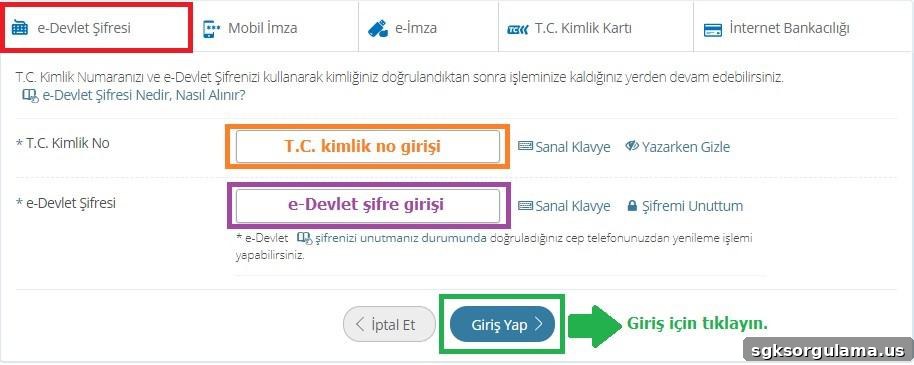
After logging in as described, you can obtain the document showing your insurance details. The document issued through the website is identical to the result obtained through the e-Devlet mobile app.
When you complete the e-Government work permit process on the web, you can print the document with a barcode if you wish.
How to Obtain a Work Permit from the Ministry of Interior
Work permit applications to the Ministry of Interior are conducted through e-Devlet. Access the relevant page via https://www.turkiye.gov.tr/icisleri-e-basvuru and complete identity verification to reach the permit application page.
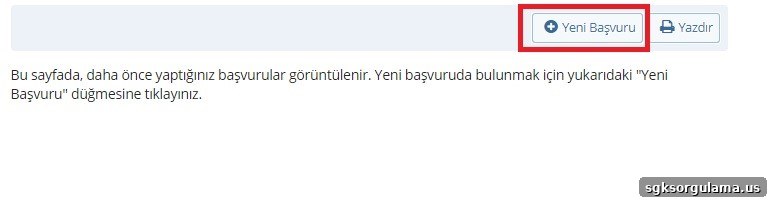
On the opened page, click the “New Application” tab to begin. Click the “New Application” button to start preparing your submission.
Next, select the appropriate options from the “Application Type” and “Sub-Application Type” dropdown menus to complete the permit process. Choose the reason for your exemption from the “Application Type” menu.
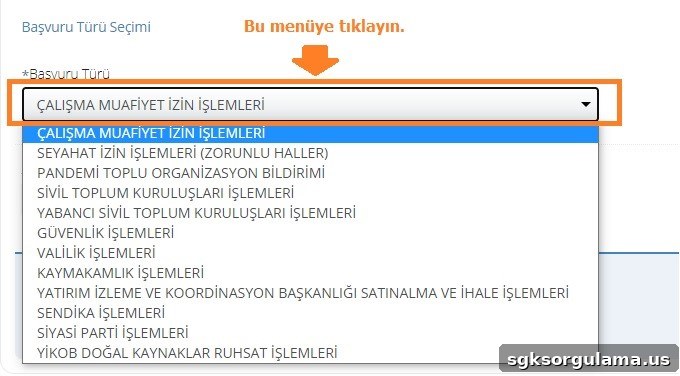
Select one of the eleven exemption application types listed. After selecting the main category, choose the “Sub-Application Type”—for example, “Work Exemption Permit Procedures.”
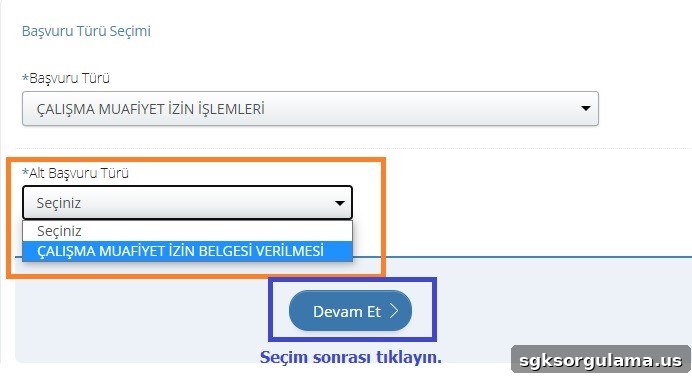
After selecting the main and sub types, set the sub-application type to “Issuance of Work Exemption Permit” and click “Continue.” Complete the required fields on the application screen that opens.
First, fill in your contact information. The related fields are typically pre-filled and can be reviewed on the screen.
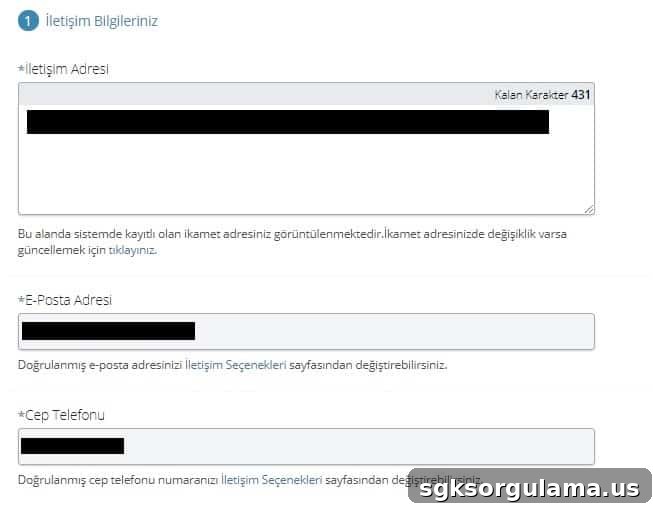
Second, review the application subject and the prefilled application text displayed on the screen.
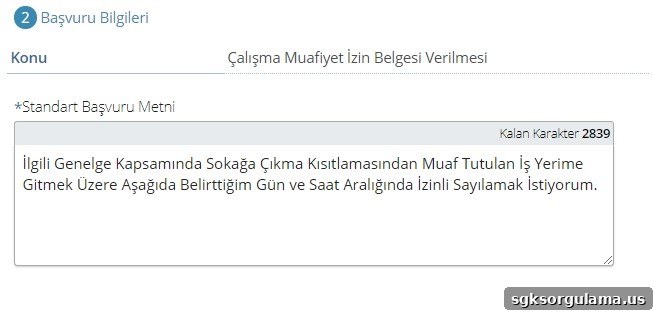
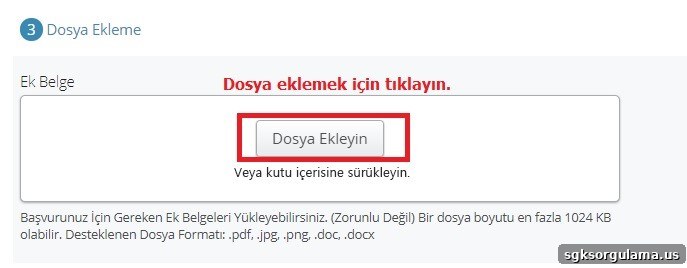
Third, upload supporting files that demonstrate your exemption. Use the “Add File” button or drag and drop files into the upload area to attach them.
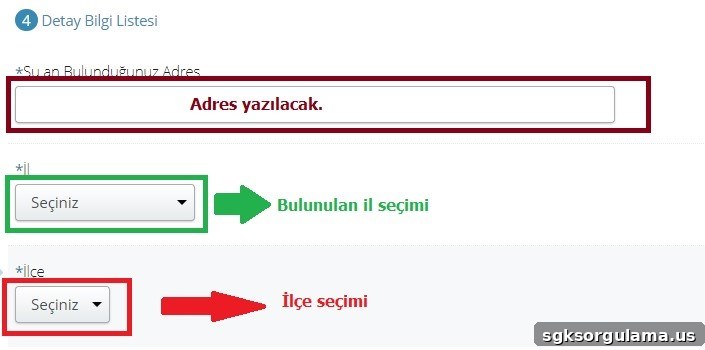
Fourth, select your current address, province and district. Complete these selections as shown.
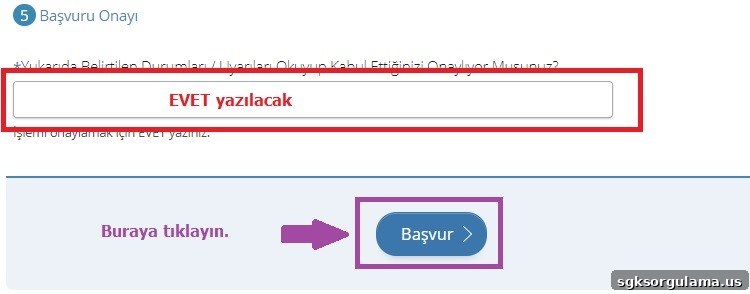
Finally, confirm the application by typing the required confirmation text and click the “Apply” button. Entering “EVET” in the checkbox confirms your approval and submits the application.
After completion, the Ministry of Interior will notify your registered phone number. When your application is reviewed and approved, you will receive confirmation via the communication channels you provided.
If your exemption is approved, you can continue working at your workplace during full lockdown periods without interruption.
WHAT IS THE VALIDITY PERIOD OF THE WORK PERMIT?
The work permit validity was specified as May 2. Permits granted based on your role and workplace during the full lockdown will be valid between April 29 and May 2, 2021. The permit expires at 24:00 on Sunday, May 2, 2021.
HOW TO CHECK YOUR E-GOVERNMENT WORK PERMIT?
To view your work permit on e-Government, visit https://www.turkiye.gov.tr/icisleri-e-basvuru. Work permits can be viewed on the Ministry of Interior’s e-Application page after identity verification; the permit appears automatically on the page.
You can view your permit before submitting a new application and, if desired, print a barcode-enabled copy. Keep the printed permit with your ID to present at police checkpoints.
HOW WILL CIVIL SERVANTS OBTAIN THEIR WORK PERMIT?
Civil servants will receive work permits through their employing public institutions. For essential services that cannot be interrupted, institutions will provide administrative-supervisor-signed permits. Public personnel should carry these permits when going to their workplace.
Permits are valid only for travel between the workplace and home residence; they are not valid for other purposes. After receiving the institution-issued document, civil servants do not need to apply separately through e-Government and may continue their duties as authorized.