
Until recently, most official transactions with government institutions required in-person visits. People often had to wait in long lines and deal with numerous documents, some unnecessary. Nowadays, to reduce congestion, increase efficiency, and provide convenience, many public institutions offer online services. In this article, we explain the online service for checking government tax debts (state debt inquiry).
Many services we use, products we purchase, and other provided benefits are subject to taxes, which create certain payment obligations. All taxpayers must regularly pay their tax liabilities. If payments are delayed, penalties and interest are added, increasing the total amount due. To avoid fines and enforcement actions, taxpayers should routinely check their tax debt status. You can perform these inquiries at tax offices, but the Revenue Administration’s online service, the Internet Tax Office (İnternet Vergi Dairesi), makes government debt queries quick and simple. You can also securely check your tax debt via the national e-Government (E-Devlet) portal using an E-Devlet password. Below we explain how to use both the GİB Internet Tax Office and the E-Devlet system to query state tax debts.
How to Check State Debt via the GİB Internet Tax Office
You can complete a state debt inquiry through the İnternet Vergi Dairesi by entering the required information. To begin, use the link provided at the end of this article to reach the GİB inquiry page. On the page, enter the taxpayer’s Turkish national ID number (TC Kimlik No), the series and number from the front of the identity card, and either the first two letters of the mother’s maiden name or a family member’s TC identification number in the designated fields. Next, type the security code shown on the page into the corresponding box. Finally, verify the entered information and click the “tamam” (confirm) button.
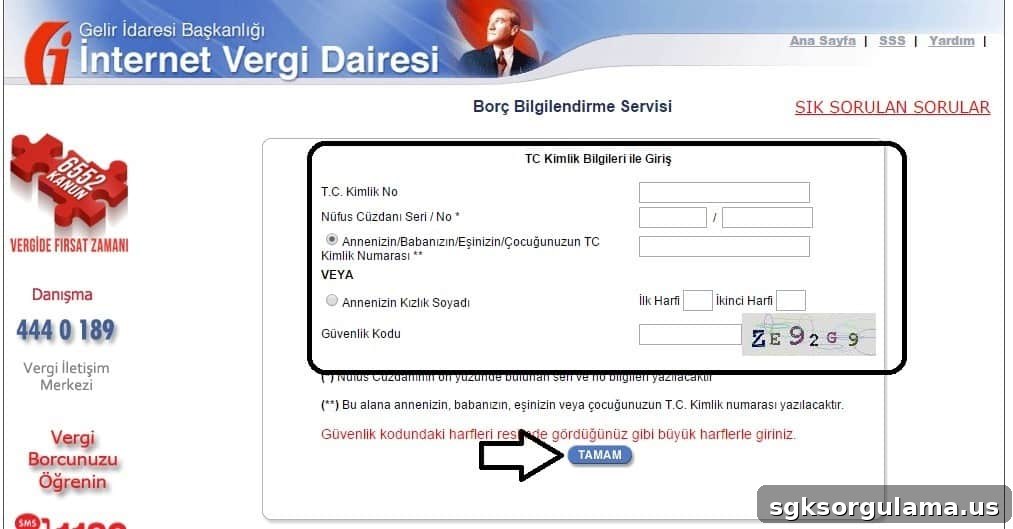
Following these steps will allow you to complete your government tax debt inquiry easily using the GİB Internet Tax Office.
GİB State Debt Inquiry — Click the link at the end of the article
How to Check State Debt via E-Devlet
Through the E-Devlet system, you can quickly see whether you have any tax debts and the outstanding amounts. To use this service you need an E-Devlet password. If you do not have one, you can obtain it at PTT branches for a small fee. Start by clicking the E-Devlet link provided at the end of this article. On the first page, select the “Verify my identity now” (kimliğimi şimdi doğrula) button.
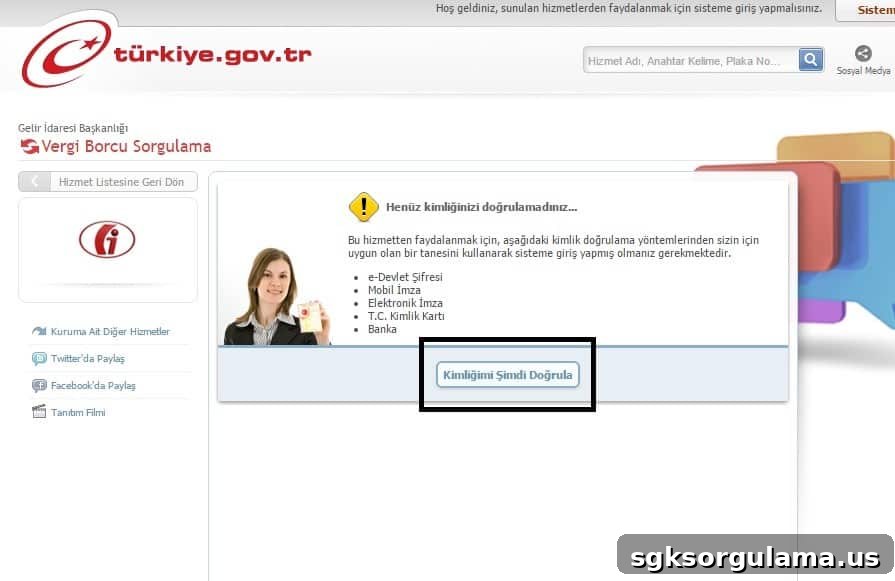
For identity verification, enter your Turkish national ID number (TC Kimlik No) and your E-Devlet password into the indicated fields, then click the “sisteme giriş yap” (log in) button.
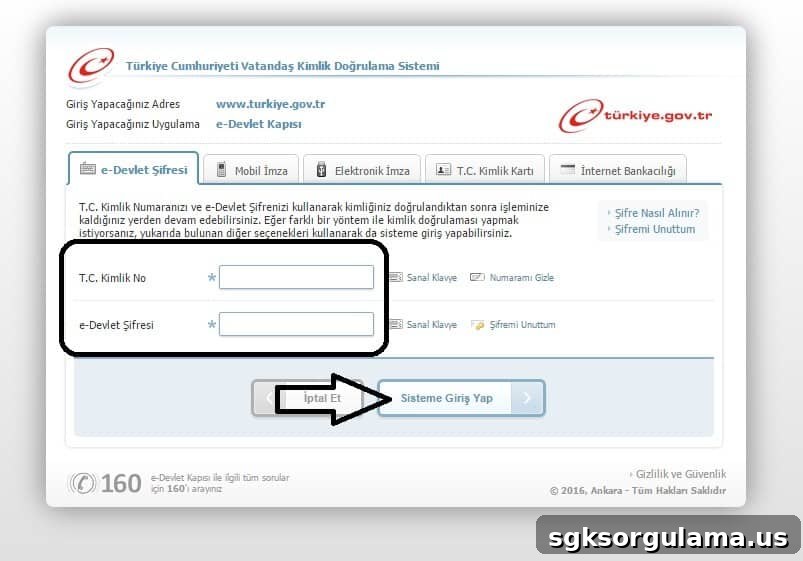
After logging in, you will be able to view any tax debts registered under your identity and the relevant details through the E-Devlet interface.