

The population register extract (certificate of residence) is sometimes required for job applications and various official registrations. This document contains not only the individual’s personal civil registry details but also detailed information about family members. It may also include events such as marriage, divorce and death. You can obtain your population register extract through the e-Government (e-Devlet) system.
How Is the Process Carried Out?
The verification and query for the population register extract are performed through the e-Government portal. e-Government is the platform that centralizes records of all government institutions and stores personal information accessible after user login. From this platform you can consult and view all official procedures online. Ministries and agencies such as the Ministry of Finance, the Ministry of Youth and Sports, the Ministry of Health, the Credit and Dormitories Institution, and the Social Security Institution offer services that can be accessed via the internet.
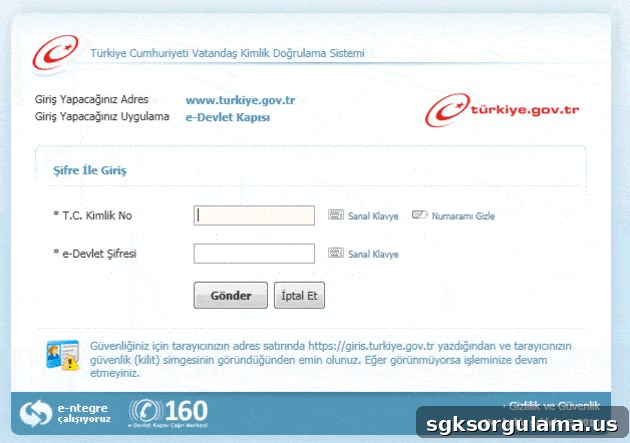
Because the procedure you want to perform falls under the family population table query category, you must go to the page affiliated with the Population Directorate.
First, you need to log in to the system. For that you will need a password. If you are accessing e-Government for the first time, you must obtain an e-Government password from the nearest PTT branch for a small fee (typically 2 TL). The password is delivered to you inside a sealed envelope. Using the password you received and your Turkish ID number, you can log into the e-Government system.
When you log in for the first time, you will be asked to provide some contact information. After providing these details, the system may contact you for confirmation by e-mail or SMS. Once you complete those confirmation steps, you will have access to the services screen.

Querying Records
In the e-Government service query screen, type population register extract query into the search bar located in the top-right corner. As you type, an autocomplete menu will appear; choose the option that matches either Query or Verification, depending on your need.
If your purpose is verification, enter the Turkish ID number and the document barcode number printed on the verification certificate you previously obtained, then click the “CONTINUE” button. The system will open a screen where you can complete the verification process.
If you select the query option, you can directly obtain a printable copy of the population register document. Note that on this screen you will be required to indicate the purpose of the request before proceeding.