

Ak Sigorta vehicle damage file viewing can be done through the company’s physical locations or digital channels. Using recent advances in artificial intelligence, the company offers a web-based “Damage Inquiry Assistant” service, expanding options so customers can access their claim information through multiple channels.
Customers who want to access vehicle damage information via Ak Sigorta damage file inquiry have the following options:
- Through the nearest Ak Sigorta agency
- Ak Sigorta Damage Inquiry Assistant (Help Center)
- Benim Aksigortam Internet Branch
- SBM Damage File Inquiry
- Ak Sigorta Customer Services
Querying Damage Files via Ak Sigorta Help Center (Inquiry Assistant)
Damage file viewing through the Ak Sigorta Help Center is available via the machine learning–supported “Damage Inquiry Assistant.” After a few simple steps, you can complete your query smoothly using the online assistant accessible from the Help Center.
To reach your vehicle damage file through the Ak Sigorta Help Center, follow these steps:
- Go to https://aksigorta.com.tr/
- On the homepage, click the “Help Center” tab at the top of the page.
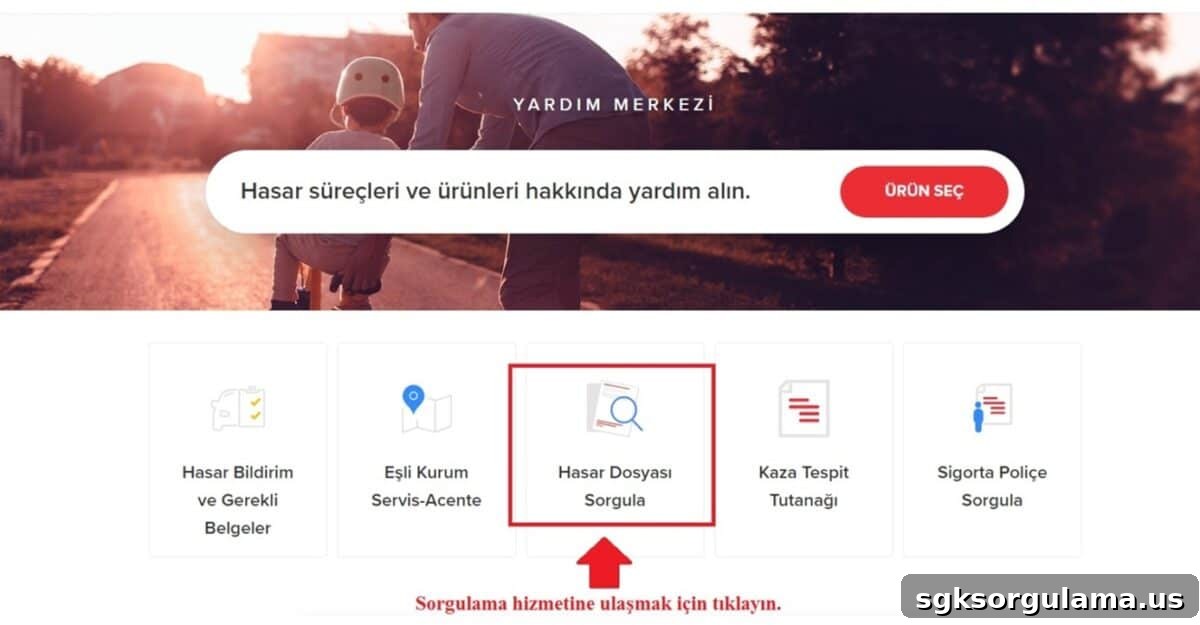
On the Help Center page, click the “Hasar Dosyası Sorgula” icon highlighted on the screen.
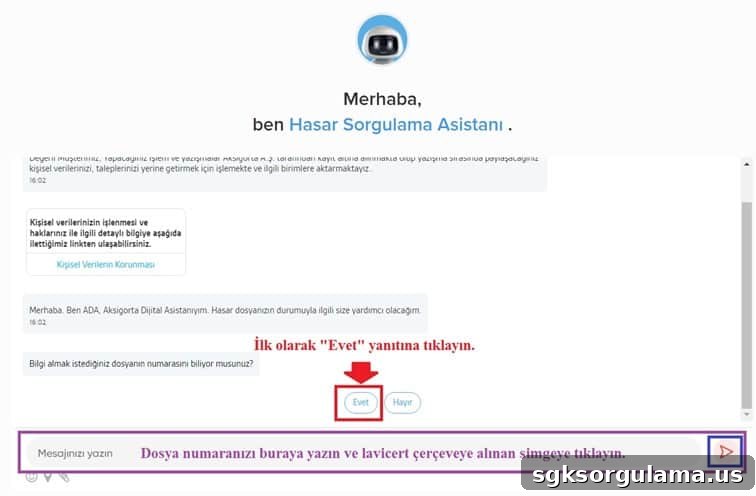
The company’s assistant, named ADA, handles the inquiry. First answer “Yes” to the question “Do you know the number you want information about?” Then enter the claim file number in the message field and complete the process.
Querying Damage Files via Ak Sigortam Internet Branch
For online branch inquiries, use the bank’s internet branch called “Benim Ak Sigortam.” From this page you can find Ak Sigorta’s partner institutions and agencies, learn about complimentary services, and complete tasks like viewing policies and outstanding balances in minutes.
To view a damage file via the Ak Sigortam Internet Branch, follow these steps:
- Go to https://benimaksigortam.aksigorta.com.tr/
- Log in with your credentials by entering your national ID number, verification code and birth date, then click “TAMAM.” If you do not have an account, register via “Bireysel Yeni Üyelik” or “Kurumsal Yeni Üyelik.”
After logging in, select the “Hasar Dosya Görüntüleme” option from the top menu.

Following these steps will allow you to complete your Ak Sigorta damage file inquiry through the internet branch. The individual branch also provides access to forms and documents, policy details, agency locations and partner institutions.
SBM Ak Sigorta Damage File Inquiry
Damage file viewing via SBM is carried out through the “Sigortam 360” service implemented by the institution. The Sigortam 360 application, provided by the Insurance Information and Monitoring Center (SBM), allows vehicle damage inquiries independent of any insurance company.
SBM offers paid inquiries by plate or chassis number. The fee is 14 TL. To perform a plate-based inquiry:
- Go to the “arac-sorgula” page on the Sigortam 360 site.
- Select “Query by Plate,” enter the license plate without spaces, and click “SORGULA.”
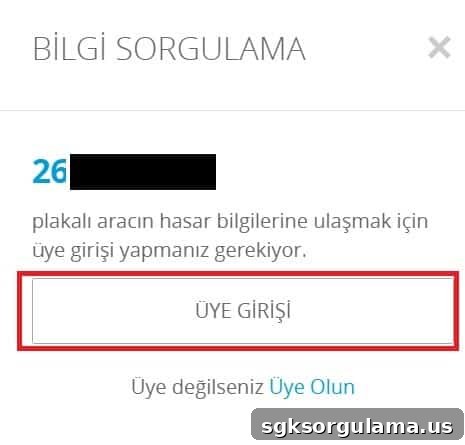
You must log in to complete the inquiry. If you have not logged in prior to the second step, you will be prompted to sign in. Click “ÜYE GİRİŞİ” and use the email and password you registered with to finish the query.
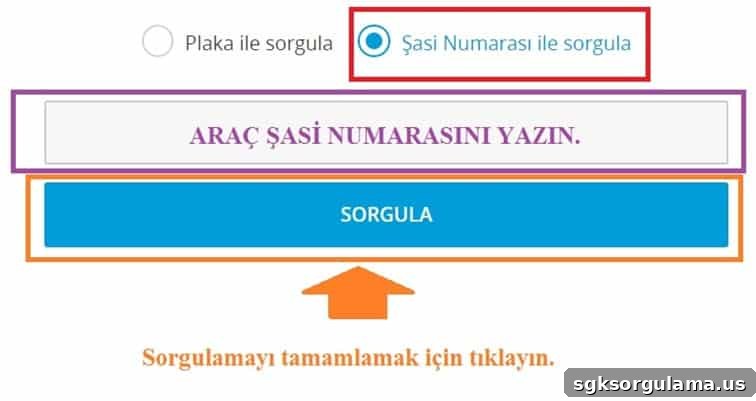
To query by chassis number:
- Go to the plate inquiry page referenced above.
- Select “Query by Chassis Number,” enter the vehicle chassis number, and click “SORGULA.”
How to Find the Nearest Ak Sigorta Agency
To find the nearest Ak Sigorta agency, search on the company’s website. Agencies are authorized centers where you can inquire about damage files. To find an agency address, follow these steps:
- Visit https://www.aksigorta.com.tr/anlasmali-kurumlar/acenteler
- On the page, use the left menu and choose “En Yakın Acenteler” from the dropdown, then select your province and district and click “ARA.”
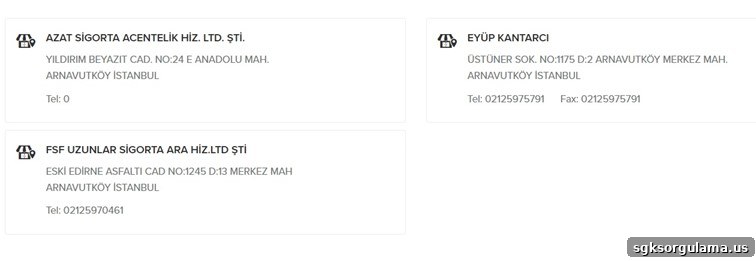
After searching, you will see the list of Ak Sigorta agencies in the selected province and district. For example, the guide shows results for Istanbul Arnavutköy. Use your own location to find the nearest agency and perform a damage file inquiry there.
How to Open an Ak Sigorta Damage File
To open an Ak Sigorta damage file, you can visit the nearest Ak Sigorta agency, contact Ak Sigorta customer services, or use the online robot assistant “ADA” through the Help Center.
You may also go to an Ak Sigorta partner service center to repair your vehicle and have the claim reporting handled on your behalf. To report a claim via the Help Center, follow these steps:
- Open the help module at yardim-merkezi/ada-yardim-merkezi.
- On the screen that opens, check the box under the “Aracım” icon and click “YARDIM AL.”
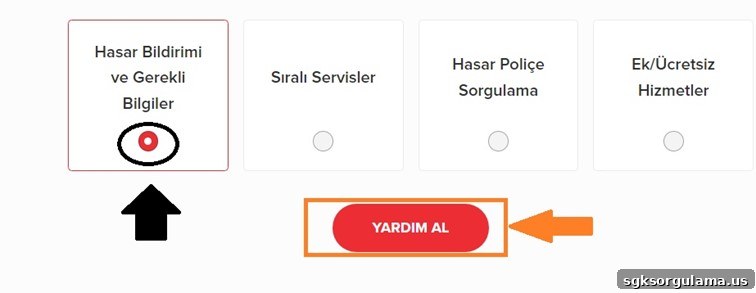
Select “Hasar Bildirimi ve Gerekli Bilgiler” and click “YARDIM AL.”
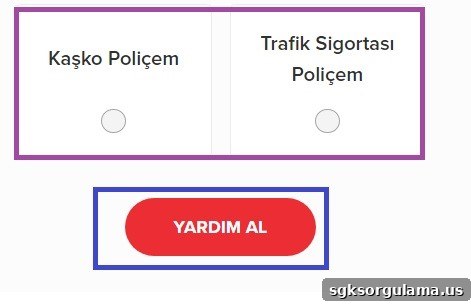
Choose the Ak Sigorta product associated with your policy and click “YARDIM AL” to continue.
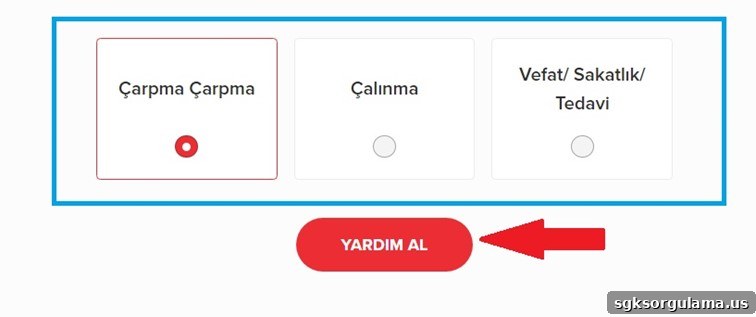
Select the cause of the damage and click “YARDIM AL” to complete the submission.
After completing these steps, you will receive instructions on the procedures to follow: recording the damage, contacting Ak Sigorta, and taking your vehicle to the nearest service to submit required claim documents. Completing these steps will open a damage file for your claim.
Documents Required for an Ak Sigorta Damage File
The documents typically requested for a damage file are:
- The original insurance policy and a copy,
- The report recording the damage,
- A copy of the vehicle registration (license),
- A copy of the driver’s license.
How to Find Ak Sigorta Partner Service Centers
You can find the list of Ak Sigorta partner service centers at the “anlasmali-kurumlar/acenteler” page. To locate the nearest partner service, go to that page, select your province and district as shown, and view the results.
How to Inquire About Damage Files via Ak Sigorta Customer Services
You can inquire about damage files by calling Ak Sigorta’s call center at 444 27 27 or via WhatsApp. Provide your full name, national ID number and the damage file number to the customer service representative to complete the Ak Sigorta damage file inquiry.