
Blocking private numbers can be done quickly in a few simple steps. We explain the steps for blocking private or hidden callers on Vodafone, Turkcell, Türk Telekom, PTTCell and BİMCell in this article.
We have previously covered many topics related to mobile and operator services:
- E-Devlet mobile signature procedures for Turkcell, Vodafone and Türk Telekom
- How to check your Findeks credit score for free with your ID number
You don’t always need to contact operator customer service to stop calls from hidden numbers. With a few simple actions you can prevent anonymous calls that cause nuisance. Calls from hidden numbers can be blocked using your phone settings or through the service channels provided by Turkcell, Vodafone and Türk Telekom.
Vodafone: Block Private/Hidden Numbers
On Vodafone there are several ways to block hidden numbers. Options to restrict calls from private numbers include:
- Call Vodafone’s voice response system at 7000 and follow the prompts to block calls from hidden numbers on your line.
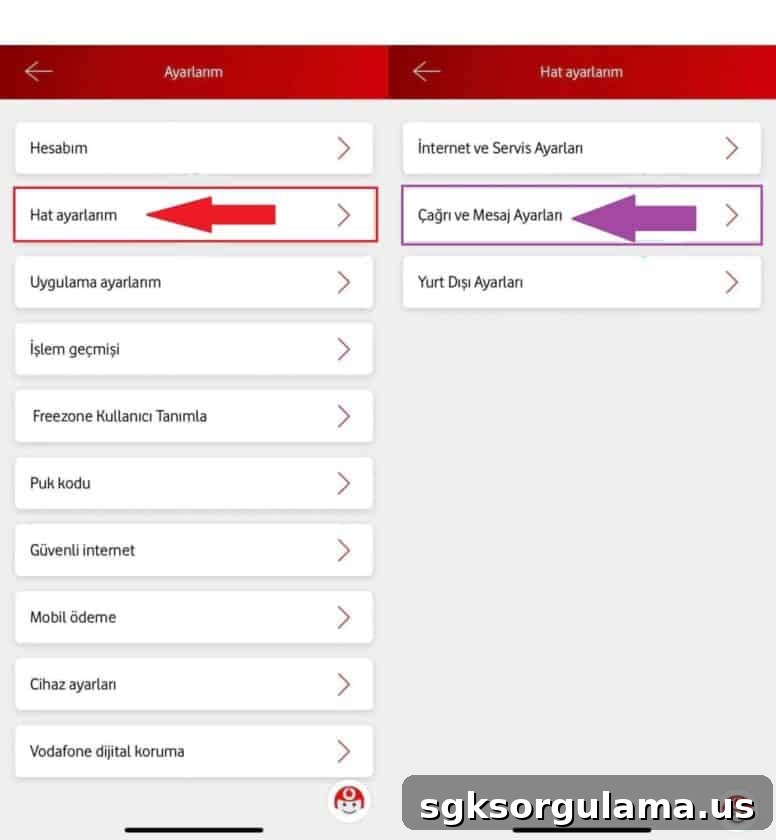
- Use the Vodafone Yanımda app: open the app, go to the “Ayarlar” (Settings) menu, then “Çağrı ve Mesaj Ayarları” (Call and Message Settings) and enable the hidden number restriction.
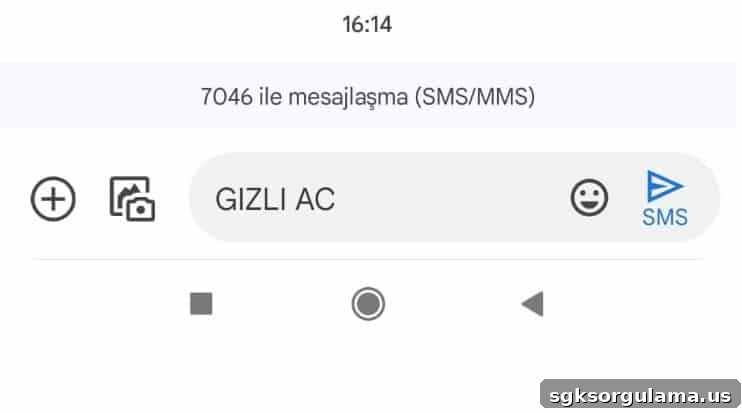
You can also use SMS: send the text “GIZLI AC” to 7046 to toggle blocking of hidden-number calls as shown in the screenshot.
Türk Telekom: Disable Private Number Calls
Türk Telekom offers several channels to block hidden numbers: online portal, mobile app and USSD codes. You can use any of these methods to stop calls from private numbers. The main options are:
- Log in to “Türk Telekom Online İşlemler” (Online Services). Under “Servisler” choose “Abonelik ve Hat İşlemleri”, then open “Çağrı Hizmetleri” and enable the “Gizli Numara Engelle” option shown in the interface.
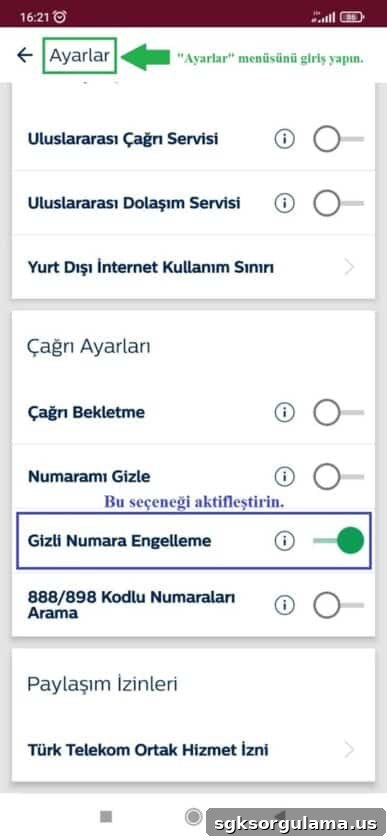
In the Türk Telekom mobile app, open “Ayarlar” and under “Çağrı Ayarları” enable “Gizli Numara Engelleme”. If you need an Online İşlemler password, send the text “SIFRE” to 9520 to receive it.
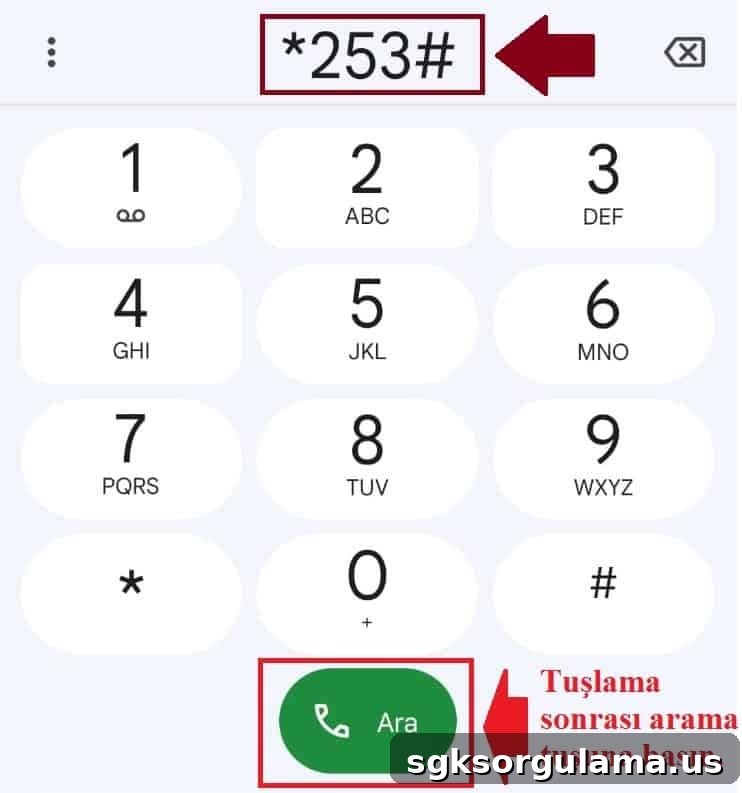
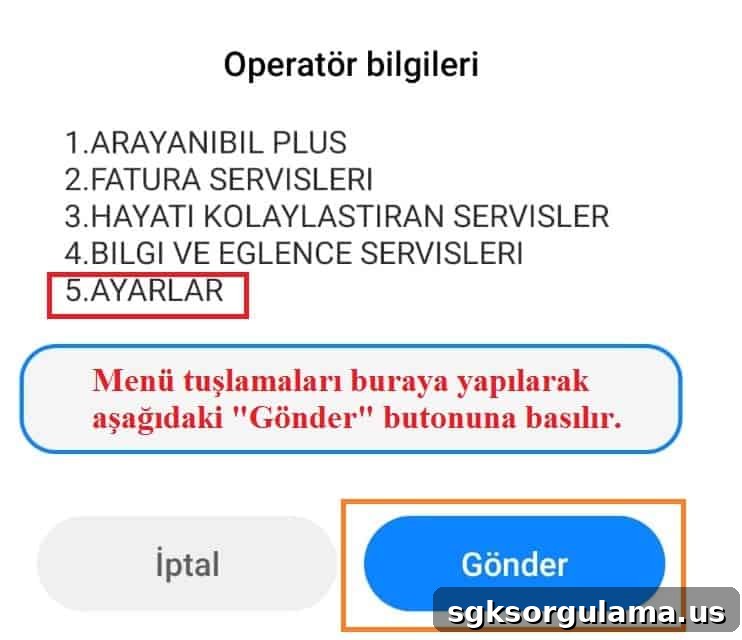
You can also use USSD codes from your phone dialer: enter *253# and press Call to activate hidden-number blocking. Another option is to dial *100#, follow the menu, select “Ayarlar” and complete the on-screen steps to block private-number calls.
Turkcell: Turn Off Calls from Hidden Numbers
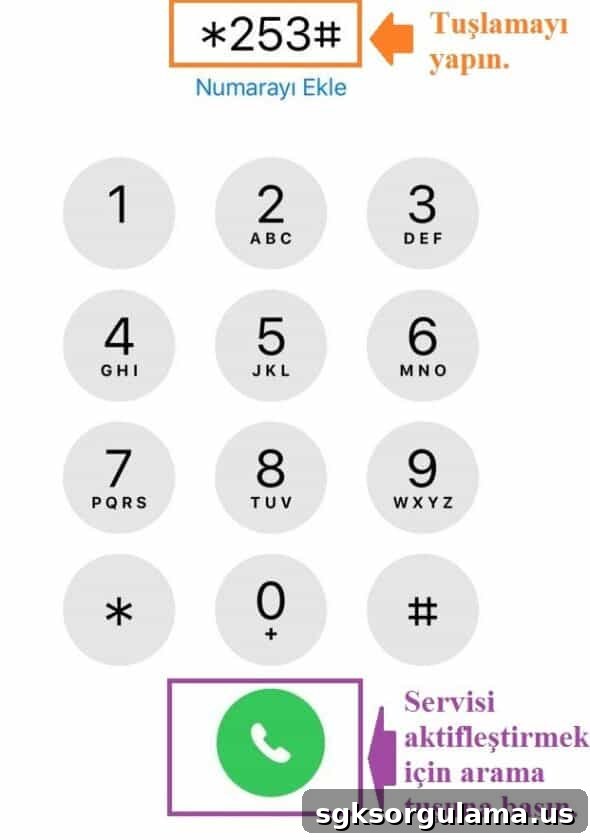
Turkcell provides a free service called “Gizli Numaradan Arama Kısıtlama” which is activated with the USSD code *253#. To enable it, open the phone dialer, enter *253# and press the Call button. The service will restrict calls from hidden numbers for your Turkcell line.
BİMCell and PTTCell: Blocking Hidden Numbers
BİMCell and PTTCell use Türk Telekom’s infrastructure, so the same USSD code applies. To block hidden-number calls on these networks:
- Open the phone dialer on your mobile.
- Dial *253#.
- Press the Call button and follow the prompts to enable the block.
How to Block Private Numbers on Feature Phones
On feature phones (non-smartphones), you can use the operator-specific USSD codes and voice systems to block hidden numbers. The codes and options are:
- Turkcell: dial *253#
- Vodafone: call the voice response system at 7000
- Türk Telekom: dial *253# or *100#
- PTTCell and BİMCell: dial *253# (Türk Telekom infrastructure)
How to Hide Your Phone Number
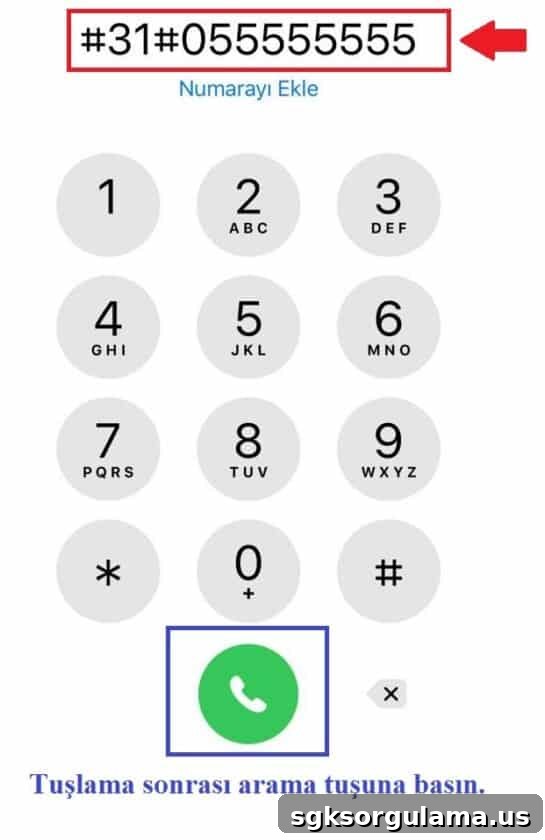
To place a call with your number hidden, prefix the dialed number with #31#. For example, to call 0555 555 55 55 privately, enter #31#05555555555 in the dialer and press Call. This hides your number for that outgoing call.
Are There Apps for Blocking Private Numbers?
Yes. There are applications for smartphones that can automatically block or send calls from hidden numbers to busy. These apps are available from the device’s official app store. However, you can also use the free, built-in methods described in this article for Turkcell, Türk Telekom, Vodafone, BİMCell and PTTCell without installing third-party apps.
We have summarized the key steps to block private numbers across major Turkish mobile operators. For more mobile-related guides, see our other posts on finding phone numbers by name and checking vehicle damage records by license plate. If you have questions or suggestions about blocking private numbers, share them in the comments below. Stay tuned for more updates.