With advances in technology, many transactions can now be completed online in just a few steps. The e-Government (e-Devlet) system is one such platform that allows citizens to access official records and services. In this article, we explain how to use the e-Devlet service to check EK-5 (agricultural social security) records.
Before diving into the e-Devlet EK-5 inquiry process, let’s first clarify what EK-5 is and who is eligible under this category.
What is EK-5?
EK-5 refers to agricultural social security (Tarım SSK). This insurance type covers agricultural workers who are employed under a service contract in the agricultural sector. Regulations concerning EK-5 are set out in Law No. 5510. According to this law, the following persons can be covered by EK-5:
- Individuals who are not insured under other provisions and fall within the scope of optional insurance rules referenced in Article 4 of Law No. 5510 and the temporary Article 20 of Law No. 506.
- Persons who do not receive a pension or regular income under those laws due to their insurance status, provided they are at least 18 years old.
- Those who work intermittently in agriculture or forestry under a service contract and wish to register for optional agricultural SSK (EK-5).
How to Apply for EK-5
An important aspect of optional agricultural SSK is the registration period and the application process. Applicants can apply for EK-5 either online or in person at the relevant institution. First, obtain the EK-5 Optional Agricultural SSK application form. After completing the form, you must have it certified by the local mukhtar (neighborhood head), a relevant union, or another authorized body, and then submit it to the Agricultural Directorate for approval. Finally, take the approved form to the local Social Security Center to complete the EK-5 registration.
Registrations for those who apply to agricultural SSK are effective from the date they submit their application to the institution. From that date, they are considered to be covered under the law.
It is also important to know how EK-5 coverage ends or is cancelled. Agricultural SSK coverage terminates upon the insured person’s death, effective from the date of death. Coverage also ends on the date an insured person submits a valid request to terminate their EK-5 registration.
Contributions paid under EK-5 are evaluated in the same way as 4-A (formerly SSK) contributions. Therefore, those who pay premiums under EK-5 may qualify for retirement under the SSK conditions.
E-Government EK-5 Inquiry
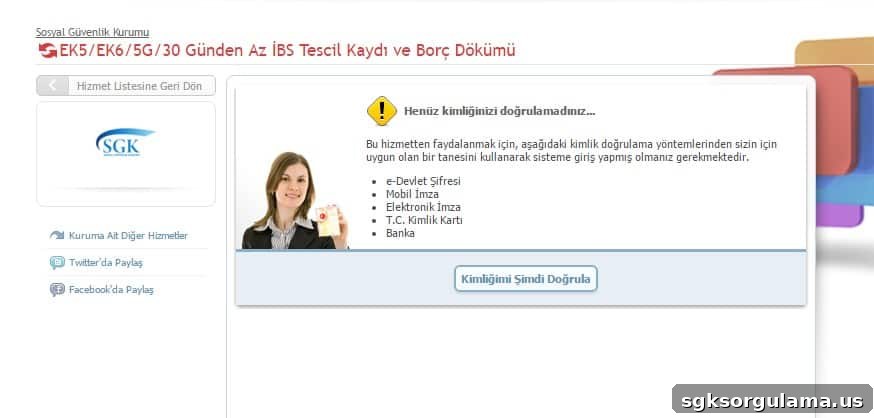
As public services have migrated online, many queries and transactions are now available through the e-Government portal. EK-5 inquiry is among these services. You can perform an e-Devlet EK-5 inquiry by logging into the e-Government system.
To access e-Devlet, you first need an e-Devlet password. You can obtain an e-Devlet password from any PTT branch for a small fee. When logging in, you will be asked to provide your e-Devlet password and your Turkish ID number (T.C. identification number).
Once logged in, you can carry out many transactions including the EK-5 inquiry. After entering the required information on the EK-5 inquiry page, you can view details about your EK-5 insurance status and related records.