
Setcard balance inquiries can be made through the mobile app or a web browser. Setcard is one of the meal cards used in Turkey. Employers who provide meal benefits deposit the monthly meal allowance onto this card, allowing employees to pay for meals at restaurants, cafés and other venues that accept the card. In addition, the available amount shown by a Setcard balance inquiry can be used for purchases at participating grocery stores and markets.
How to Check Balance via the Setcard Mobile App
To check your Setcard balance in the mobile app, first download the Setcard application to your smartphone or tablet. If your device runs Android, download it from the Play Store; for iOS devices, use the App Store.
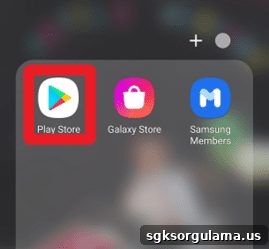
The image above shows where to download the app for Android devices. After opening the Play Store, use the search field to find “Setcard” and install the application.
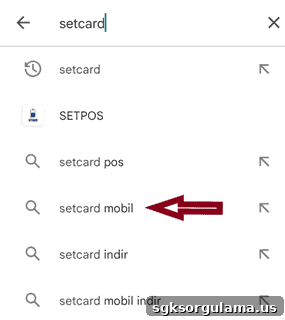
Once the app is installed, you can start using it and monitor all your Setcard information in real time.
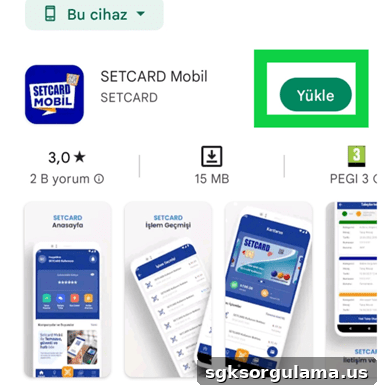
To begin using the Setcard mobile app, you must first create an account. During registration you will be asked for identification and phone information, and you must choose a personal password.
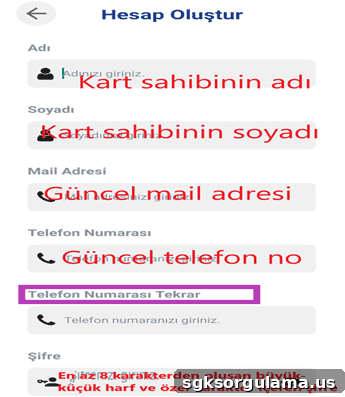
Fill in all required fields accurately and set your password. After you tap the login button, the system will request a verification code.
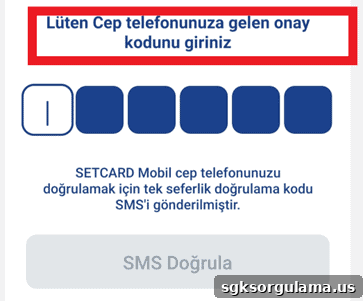
Enter the code sent to your phone into the fields shown and press the “SMS Verify” button. After verification, you will be prompted to set a PIN.
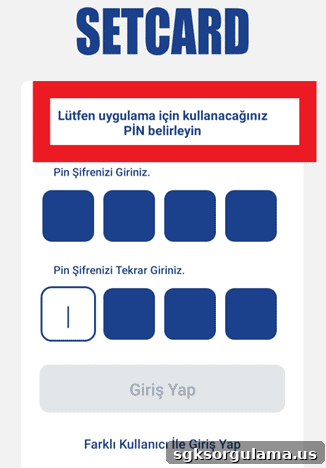
Choose a four-digit PIN that you can remember. Avoid easily guessed numbers such as birth years. Enter the PIN twice to confirm, then tap the “Login” button.
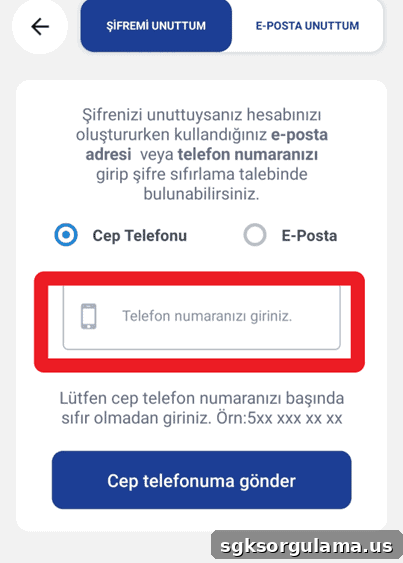
If you have previously installed the Setcard app and forgotten your password, use the field shown in the image to enter the phone number registered in the system and create a new password. Users registered with an email address can use the “Forgot Email” option.
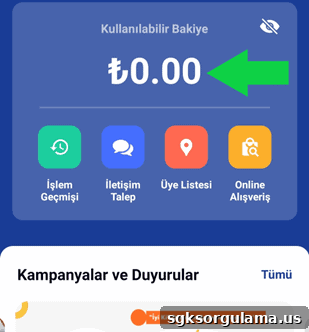
After completing the login process you can use the Setcard app. Your balance appears on the main screen, and you can spend within that amount at any business that accepts Setcard.
Setcard Balance Inquiry Web Screen
You can also use the “Setcard Balance Inquiry” screen to check your balance online. When you open that page, you will see a screen similar to the one below.
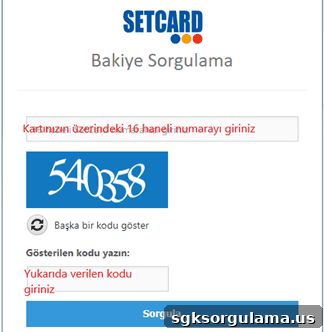
Enter your card number in the first field and type the verification number shown in the second field. Click “Sorgula” (Query) to display your balance information.
What You Can Do in the Setcard Mobile App
The Setcard mobile app offers several convenient features for daily use. If you don’t have your physical card with you, you can complete payments using the QR code in the app. The app also lists special Setcard promotions and discounts.
Other actions you can perform in the app include:
- Viewing your transaction history.
- Finding member businesses in your area.
- Making online purchases where Setcard is accepted.
How Is Setcard Balance Loaded?
Balance loading for Setcard is performed by employers. Instead of giving the meal allowance in cash, your employer can load it to your card. If the balance is insufficient, contact the personnel office or HR representative at your company to resolve the issue.
How to View Setcard Transaction History
To view Setcard transactions, tap the “Transaction History” section in the app. There you can see where and how much you spent, helping you spot any unauthorized activity. Checking your Setcard balance also helps you understand recent spending amounts.
Where Is Setcard Accepted?
The app shows locations that accept Setcard. The “Member Businesses” section uses your location to list nearby merchants that accept the card, so you don’t need to call individual stores to confirm acceptance.
Can Setcard Be Used for Online Shopping?
Setcard can be used for online shopping at certain e-commerce sites. Although the number of participating online stores is limited, you can still use your balance for online purchases at supported merchants.
Examples of online merchants accepting Setcard include:
- Beyorganik
- Delopi
- Güzel Ada Gıda
- Hasat Sepeti
- Peynirci Baba
- Köfteci Yusuf
- Mopaş
- Organik Gurme
Where Can I Apply If I Have Problems with Setcard?
If you experience issues with Setcard, you can contact customer representatives through the mobile app. Tap the “Request Contact” option on the main screen to access the support interface.
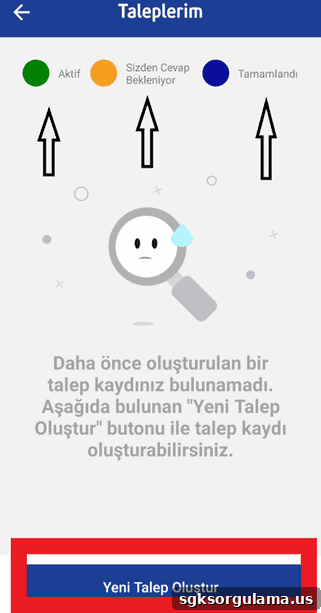
The screen shows active requests, those waiting for your response, and completed items. If support requests additional information, you will be notified. Keep app notifications enabled so you receive updates about your requests immediately.
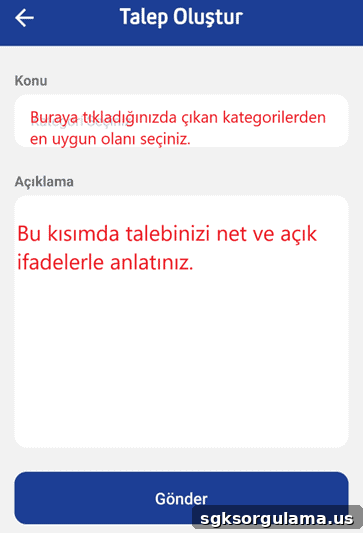
When creating a new request, fill out the form accurately and describe your issue clearly to help the support team resolve it quickly.
Is Using Setcard Secure?
Setcard provides secure usage features. Your identity and other personal information are protected and not shared with third parties. The card is protected by a password or PIN known only to you, helping keep your balance safe.
What Should I Do If I Lose My Setcard?
Losing your Setcard can be worrying, but you can protect your balance by canceling the card or placing a temporary block. Contact your employer or the responsible administrator to request card blocking or cancellation. Any balance on a canceled card can be transferred to your new card.
Can I Let Someone Else Use My Setcard?
Allowing someone else to use your Setcard is not recommended. The card is a workplace benefit provided to you personally. Sharing PINs or other account details can lead to misuse and financial loss.
What Is the Setpara Feature on Setcard?
The Setpara feature lets you earn additional balance beyond what your employer loads. This feature increases your available funds and can be used like regular balance, distinguishing Setcard from many other meal cards.
How Do I Earn Setpara?
To earn Setpara, shop at participating member businesses that have an agreement for Setpara rewards. You typically earn a percentage of your purchase (for example, 10%) as Setpara, which is added instantly to your account balance.
How Can I See My Setpara Amount?
To view your Setpara amount, check the mobile app. The Setpara included in your “Available Balance” is also displayed separately for clarity so you can easily track your earned rewards.
How Can I Find Where to Earn Setpara?
To earn Setpara, first identify businesses that offer this benefit. In the app’s “Where” section you will find two lists: places where you can use your card and places where you can earn Setpara.
Advantages of Setcard for Businesses
Setcard also offers several advantages for employers. Businesses benefit from tax, contribution and cost savings, and they can reduce administrative workload through easy balance loading and card cancellation processes. Allowing employees to perform Setcard balance inquiries independently saves time for personnel officers and streamlines operations.