
At the end of this article we have included a link to help you access your E-Government payslip online. By using that link you can go directly to the page where you can obtain your E-Government payslip.
How to Get an E-Government Payslip
To retrieve your E-Government SSK payslip, you will need an E-Government (E-Devlet) password before clicking the link at the end of this page. If you do not yet have an E-Government password, you can obtain one at any PTT branch.
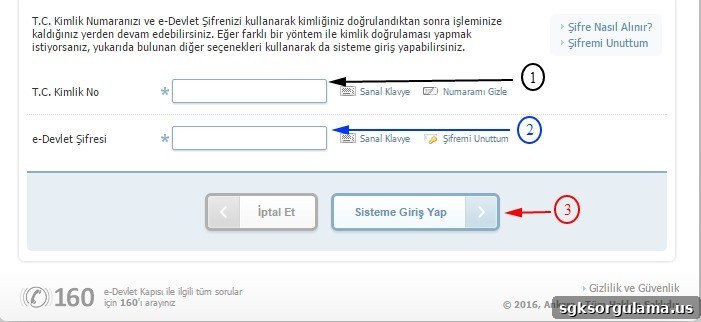
To complete the process for getting your E-Government payslip, click the “Verify my identity now” button. On the page that opens, first choose the option to sign in with your E-Government password. Then enter your identity number and your E-Government password and click the sign-in button. The system will direct you straight to the E-Government payslip page. Once redirected, you can view and download your payslip without any further steps.