

With rapid advances in technology, health services have also seen significant improvements. The e-Nabız application, which stores past medical records and facilitates appointments and treatment planning, makes it easier to perform necessary tests during consultations.
This free service allows easy online access to your medical data. Today, obtaining an e-Nabız password online for free is a simple process.
You can access e-Nabız via the mobile app on your phone or through your web browser using the e-Government (e-Devlet) gateway to check your hospital visit history or to make a new appointment.
What Is e-Nabız?
As technology evolves, hospital and healthcare services have become faster and more accessible digitally. e-Nabız consolidates a patient’s complete medical history in one place.
Many people wonder, what is e-Nabız? It is an application that gathers a patient’s hospital visits, prescriptions and treatment history in a single system. It also lets you book appointments and view laboratory results for future care.
Regardless of which hospital or city provided the care, e-Nabız keeps records of all your past medical transactions. You can search past treatments and use the appointment service when needed.
e-Nabız functions as a personal health record platform. You log in with your personal information and can only view your own health records. Providing your details through the app helps your physician communicate more effectively with you, speeding diagnosis and treatment.
The app offers a user-friendly interface and fast, comprehensive service. You can use e-Nabız both from the mobile app and the web to manage your health matters.
How to Get an e-Nabız Password Online?
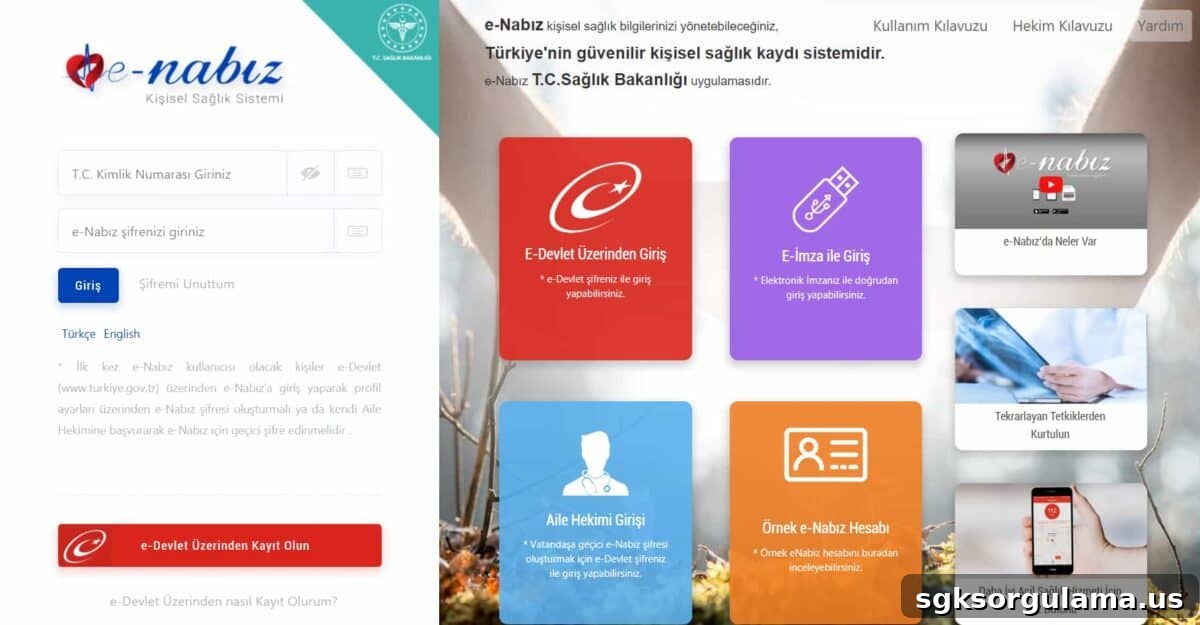
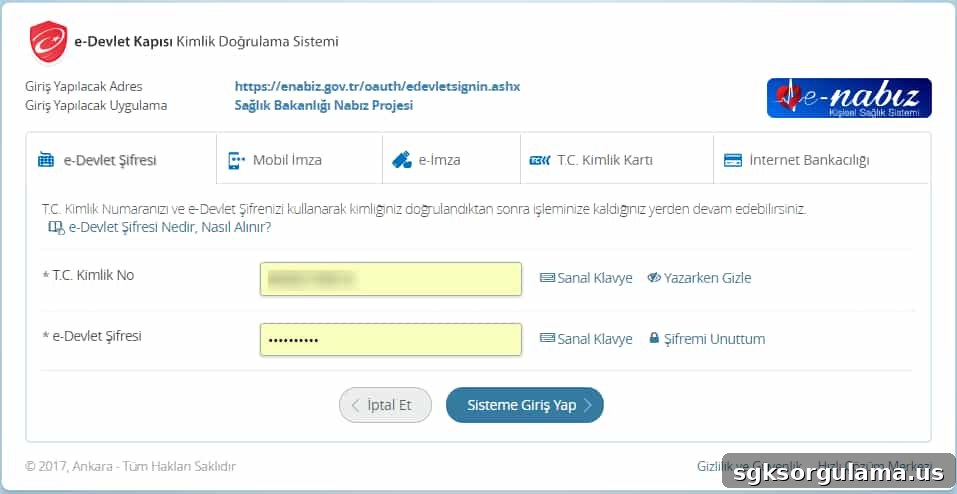
To access e-Nabız you need a login password. You can sign in via e-Devlet, e-signature, or mobile signature.
If you prefer to register via the e-Devlet system, follow these steps:
- Sign in to your account at turkiye.gov.tr (e-Devlet).
- Type “e-Nabız” in the search field on the page.
- Select the result titled “Ministry of Health – e-Nabız Personal Health System.”
- Click the “Go to Application” button on the page that opens.
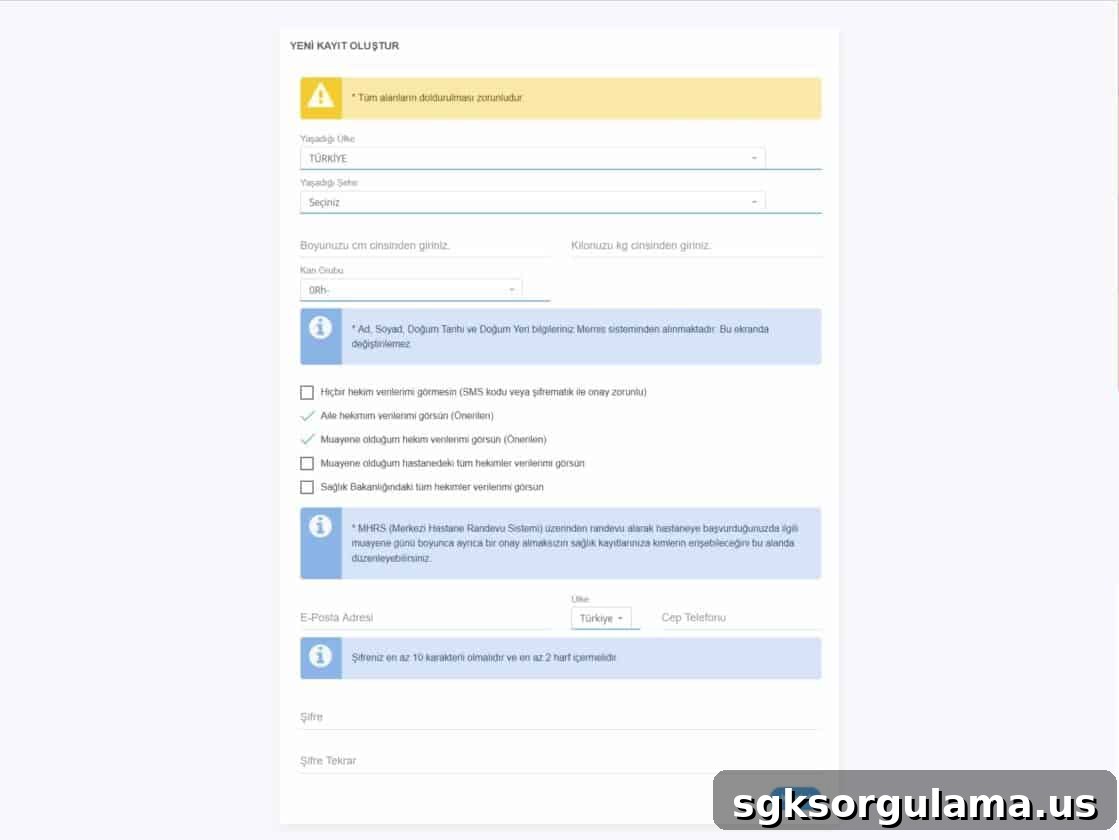
- From your profile settings, create an e-Nabız password.
- Check the box confirming you have read the Terms of Use and complete the process.
If you cannot complete this online, you can obtain a temporary password from your family physician and log in to create a new password.
How to Obtain an e-Nabız Password from Your Family Physician?
If you do not have an e-Devlet password and cannot register online, you can get an e-Nabız password from your family physician registered with the Ministry of Health.
Getting a password from your family physician involves:
- Visit your registered family physician.
- Request an e-Nabız password from them.
- Your physician will send you a one-time temporary access code.
- Confirm your mobile phone number is registered; if not, give your number to the physician.
- When processed, you will receive the temporary access code on your phone.
- Use this code to sign into the e-Nabız system.
- After logging in, create a new password from your profile to complete the process.
- Then adjust your profile settings as needed within the system.
How to Change Your e-Nabız Password?
To replace a temporary password or update your e-Nabız password, follow these steps:
- Log in to the e-Nabız system.
- On the left side of the screen under your profile photo, click the Edit button.
- Select the “Change e-Nabız Password” option.
- Enter your current password in the “Enter Current Password” field.
- Enter your new password in the “Enter New Password” field.
- Re-enter the new password in the confirmation field.
- Click the “Update Password” button to save the change.
- Your new password is now active and can be used to log in to e-Nabız.
How to Log In to e-Nabız?
To log in to e-Nabız, users can choose between two methods:
- e-Devlet password
- e-signature or mobile signature
Choose one of these options and sign in with your national ID number. After logging in, you must confirm acceptance of the Terms of Use on the profile setup screen by checking the appropriate box.
From the “Sharing Options” section you can select who may access your health information. The final step to activate e-Nabız is the “Access Information” section, which you can enable while creating your profile.
Enter your registered phone number and e-Nabız password. A verification code will be sent to your phone; enter that one-time code in the “Verification Code” field to complete activation.
How to Register for e-Nabız?
To use e-Nabız and its benefits, you must register. Registration is available through e-Devlet or by using a temporary password provided by your family physician.
Obtaining an e-Nabız password online for free is straightforward. Once you complete the required steps, you can take advantage of the services e-Nabız offers.
What Is e-Nabız Used For?
e-Nabız speeds up healthcare processes and offers many useful features. For those asking what e-Nabız does, it is a Ministry of Health application that stores detailed records of your medical history and tracks the steps needed to manage your health.
You can access e-Nabız via the mobile app or website to review and manage your information. Regardless of the city or hospital where you were treated, you can view all your test results and prescriptions.
Through e-Nabız you can view lab tests, X-rays, ultrasound images and other results, enabling effective communication with your doctor when planning new treatments. Records are kept in the system so you no longer need to store physical copies of results.
Some services available through e-Nabız include:
- Records of hospitals, doctors and appointment dates
- Prescriptions written by your doctors
- Medical reports you have received
- Diagnoses made during consultations
- Laboratory test results
- X-ray and ultrasound images
- Medications you use regularly
- Vaccination schedule
- Previous hospital appointments
- Sensor data from compatible devices
When Did e-Nabız Start?
e-Nabız is a state-supported health portal developed by the Ministry of Health. The system began its operations in 2015 and has been available to Turkish citizens as an internet-based health application.
Since 2015, many users have actively used e-Nabız to review their health records and coordinate care with their doctors.
How to Make an e-Nabız Appointment?
To create an appointment in e-Nabız, follow these steps:
- Log in to the e-Nabız system.
- Click the “My Appointments / Make Appointment” section and then “Make Appointment.”
- The left side of the screen shows past appointments; the right side allows you to create a new appointment.
- On the right, click the “Appointment Calendar” and then the “Make Appointment” button.
- Next to your name you will see buttons to book or cancel an appointment—click the appropriate one.
- Choose the type of appointment: vaccination, family physician, or hospital appointment.
- Select the relevant service, doctor and date according to your needs to complete the booking.
How to Cancel an e-Nabız Appointment?
To cancel an appointment, go to the appointment section where your booked appointments are listed. Click the appointment you wish to cancel to complete the cancellation. Note that cancellations must be made before the scheduled date and time of the appointment.
When Are Laboratory Results Available on e-Nabız?
Users often ask how long it takes for laboratory results to appear on e-Nabız. Timing varies by test type and hospital workload. Results are made available on e-Nabız as soon as an authorized staff member uploads them to the system.
How to Learn Pathology Results on e-Nabız?
Pathology results typically take longer than other tests. You can check pathology results in e-Nabız using the barcode or result number provided by the hospital. Log in with your ID and e-Nabız password and enter the barcode or result details to view the report.
You can access your results by entering the barcode or the information shown on the result retrieval card into the e-Nabız interface.
How to Change Your Family Physician via e-Nabız?
If you are not satisfied with your family physician, you can request a change through e-Nabız. Complete the Family Physician Change Application Form in the system and explain the reason for the change.
Points to consider when changing family physicians:
- You can request a transfer only once within a three-month period.
- Family physician changes are processed between the 5th and 21st of each month.
- You must continue with your current physician until the new one is assigned.
- If the desired physician’s patient quota is full, the transfer cannot be completed.
- After submitting the form, a list of available physicians for transfer will appear.
- Select a physician from the list to finalize your e-Nabız registration with the new doctor.
This article explains in detail how to obtain an e-Nabız password online for free and how to use the main features of the e-Nabız system.