
Book a COVID‑19 vaccination appointment via e-Government to receive your vaccine quickly. During the COVID‑19 pandemic in our country, Sinovac and BioNTech vaccines are being administered. If you are wondering, “How do I book a COVID vaccine appointment via e‑Government?” you can follow the step‑by‑step instructions below.
How to Book a COVID‑19 Vaccine Appointment via e‑Government (Step‑by‑Step)
Follow these steps to schedule a COVID‑19 vaccine appointment:
- Log in to the e‑Government portal using your national ID and password.
- Type “e‑Nabız” into the search box in the top right corner.
- The “e‑Nabız Personal Health System” information screen will appear.
- Click the “Go to Application” button on that screen.
- The e‑Nabız system interface will open.
- On the left side, click the “Covid‑19 Vaccine” option.
- Choose whether you want to receive the vaccine at your “Family Physician” or at a “Hospital.”
- Select which vaccine you prefer: “BioNTech” or “Sinovac.”
- Choose the date you would like to be vaccinated.
- Select the city and district where you want the appointment.
- Choose the hospital or family physician where you want to be vaccinated.
- Finally, confirm to create your appointment.
After creating your appointment, the Ministry of Health will send a short confirmation message to your mobile phone.
How to Get a Vaccine Appointment (Illustrated Guide)
You can follow the illustrated steps to book your vaccine appointment as shown below:
NOTE: If you do not have an e‑Nabız password, you can log in to the system with your e‑Government credentials.
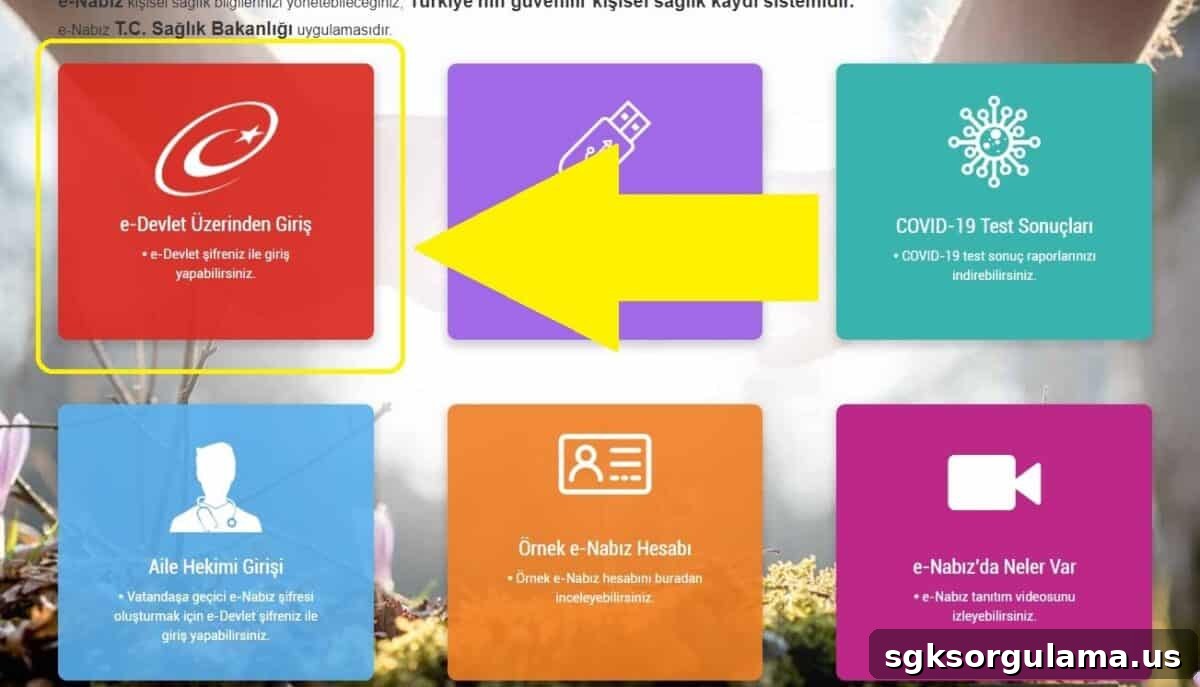
STEP 1: On the main screen, click the “Covid‑19” vaccine menu on the left side.
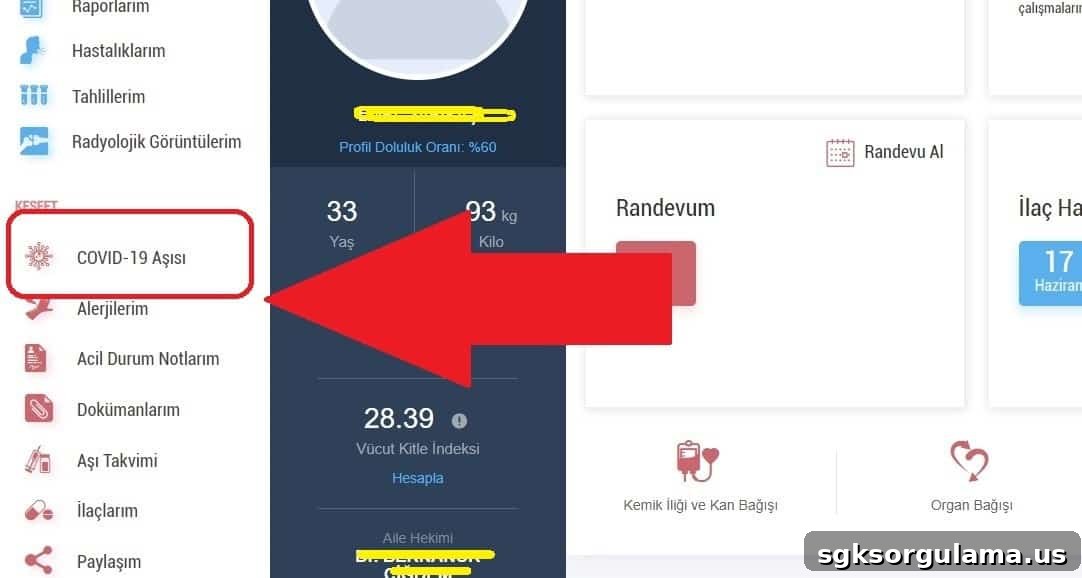
STEP 2: On the screen that appears, choose where you want to receive the vaccine: “Family Physician” or “Hospital.”
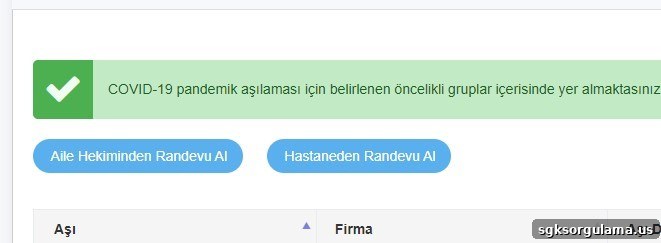
STEP 3: Click the “Get Vaccine Appointment” button.
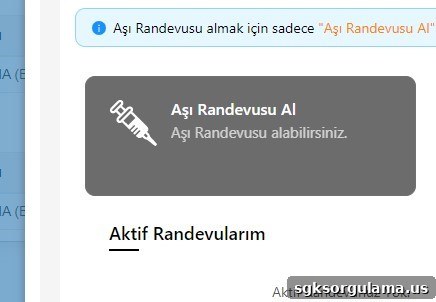
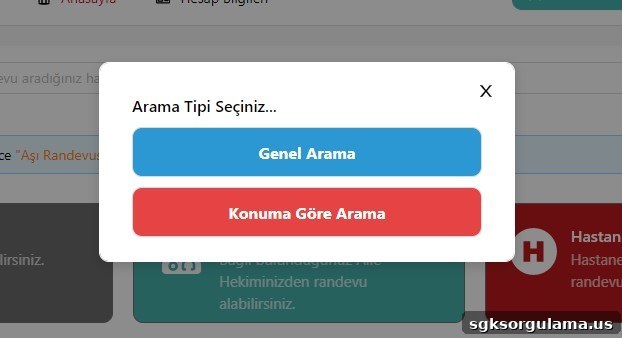
STEP 4: You can create an appointment based on your current location or any preferred location.
STEP 5: On the next screen, select the province, district, hospital, and clinic.
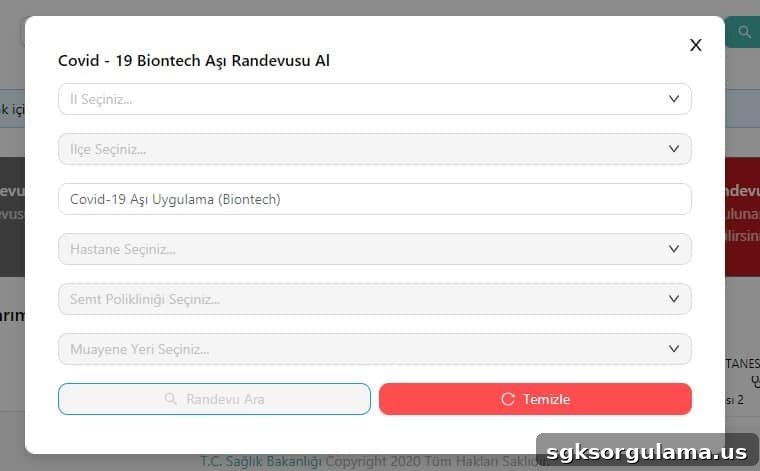
STEP 6: Finally, click “Make Appointment” to confirm and create your appointment.
Once your chosen appointment details are confirmed in the system, you will receive an approval message from the Ministry of Health on your registered mobile number.
IMPORTANT: Arrive at the health facility 15 minutes before your appointment. You will be asked to complete a form and provide a signature.
NOTE: After receiving the vaccine, you will receive a confirmation message from the Ministry of Health indicating you have been vaccinated.
NOTE 2: The health facility staff will inform you when to schedule your second dose.
Which Vaccines Are Available in Turkey?
There are two types of COVID‑19 vaccines available in Turkey:
- BioNTech (Germany–USA)
- Sinovac (China)
You can choose the vaccine you prefer depending on availability.
Is the COVID‑19 Vaccine Mandatory?
COVID‑19 vaccination is currently voluntary and there is no legal obligation to be vaccinated. Since the vaccines being used are in Phase‑3, there are no legal penalties for choosing not to be vaccinated.
Which COVID‑19 Vaccine Should I Get?
All vaccines currently used globally have reached Phase‑3, and studies on effectiveness continue. Both traditional and mRNA vaccine technologies are in use. Healthcare workers cannot advise you on which specific vaccine to receive. Health authorities generally recommend taking the first available vaccine.
What Happens If I Don’t Get Vaccinated?
There are no definitive data yet about the health consequences of not being vaccinated, so precise outcomes cannot be stated. Health authorities emphasize that getting the first available vaccine offers greater protection against COVID‑19.
Do Vaccines Have Side Effects?
The health facility where you receive the vaccine will provide information about possible side effects.
How Do I Find Out My Vaccination Priority?
You can check when it will be your turn for vaccination or whether you are eligible through the e‑Nabız system or by sending an SMS with the word “Aşıla” to 2023. To access e‑Nabız you must log in via the e‑Government system. People who cannot visit the hospital can be identified and offered mobile vaccination at home.
CLICK HERE TO CHECK VACCINATION PRIORITY
Those who cannot access the e‑Nabız application can learn whether they can receive the COVID‑19 vaccine by visiting local health centers and consulting with their family physicians.