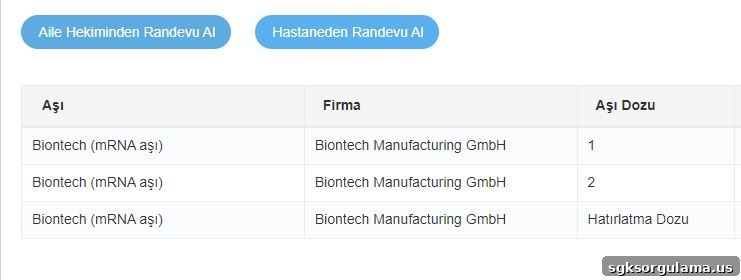
To check routine vaccinations and COVID-19 vaccination records, you need to log in to the e-Government (E Devlet) or e-Nabız systems. There are several ways to access these services, including:
- E Devlet website
- E Devlet mobile application
- E Nabız portal
Since the COVID-19 pandemic, the number of people receiving vaccines has risen, making reliable tracking necessary. In addition to coronavirus vaccines given in multiple doses, vaccines for diseases such as tetanus, rabies and pneumonia must also be monitored. Childhood and infant vaccinations follow specific schedules, and tracking ensures no doses are missed or delayed. Using the E Devlet vaccine inquiry service, you can easily view your vaccination history, check for missing doses, and monitor any delays.
WHERE TO ACCESS E DEVLET VACCINE INQUIRY
To access the E Devlet vaccine inquiry, you must first be able to log into the system. Start by obtaining your e-Government password from a PTT branch; it is issued in a sealed envelope and can be changed after receipt. Once you have your password, you can access the E Devlet platform from a computer or smartphone.
How to Check Vaccinations via the E Devlet Mobile App?
To query vaccines using the E Devlet mobile app, download the app to your phone and sign in with your Turkish ID number (T.C. kimlik numarası) and password. After logging in, use the search field to find vaccine-related services.
Typing “aşı” (vaccine) in the search will display relevant options. From those options you can check vaccination records for yourself or for your children. Travelers can also verify whether they have received vaccines required by the destination country.
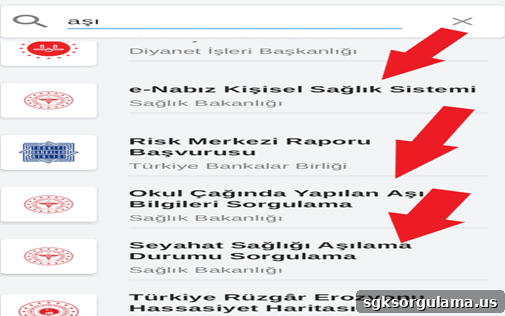
The areas indicated by the arrows in the above screenshot lead to the vaccine information you need. The E Nabız Personal Health System is a service provided by the Ministry of Health; selecting it redirects you from the E Devlet platform to the E Nabız system, where you can query vaccines and other health information.
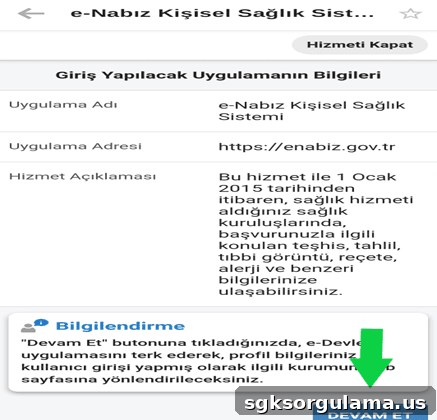
When you click the “continue” button shown in the image above, you will first see a page with a verification code. Copy this code and paste it into the field shown on the next screen.
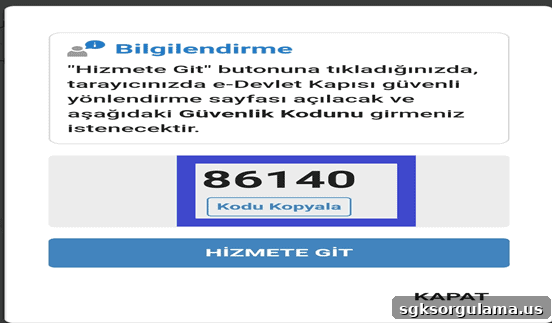
This verification code grants access to the E Nabız system. Enter the code within the time limit to view COVID-19 or other vaccination records. Keep in mind that your E Devlet and E Nabız login details are private and should not be shared with others.
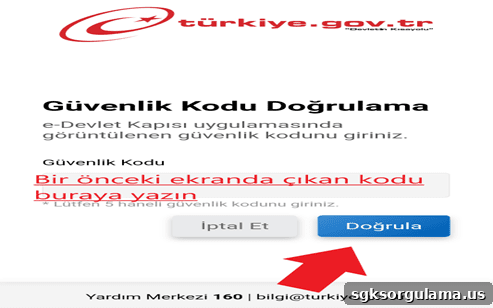
If you encounter problems after entering the code and pressing the verify button, you can contact the support center at 160 for assistance. Often the issue is an incorrectly entered verification code; double-check your entry and try again if needed.
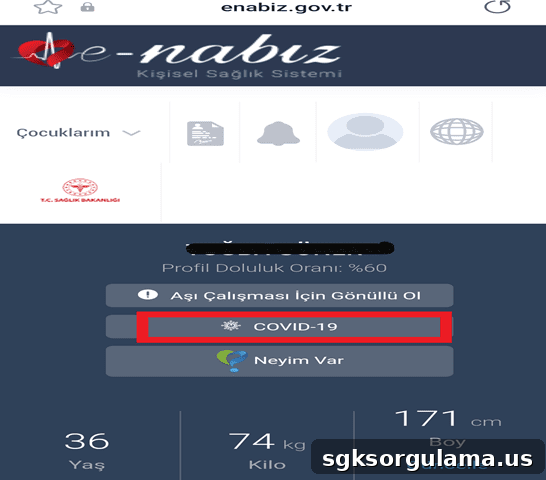
The E Nabız login screen appears as shown above. By selecting the COVID-19 section, you can view all COVID vaccines you have received to date.
How to Check Vaccines from the E-Devlet Website?
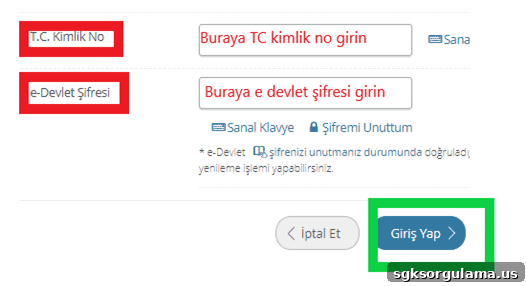
To use the E Devlet website for vaccine inquiries, go to turkiye.gov.tr and sign in with your T.C. ID number and password. The steps are similar to the mobile app: search for “aşı” and use the E Nabız link to access detailed vaccination records.
How to Use E Nabız for Vaccine Inquiries
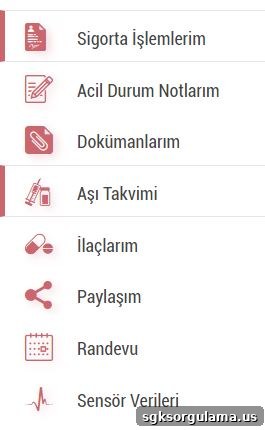
You can follow the steps above or go directly to enabiz.gov.tr to use the E Nabız vaccine inquiry. Sign in with the same credentials used for e-Government. You can access your COVID-19 vaccination details as described; information for other vaccines is available under the “Aşı Takvimi” (Vaccine Schedule) section.
How to Check COVID Vaccine Records?
To view your COVID-19 vaccination history during the pandemic, log in to the E Nabız system. After signing in, you can quickly and easily check your COVID vaccination records from the dedicated section.